Chapter 4 Making Decisions
4.1 Relational Operators
Concept:
Relational operators allow you to compare numeric and char values and determine whether one is greater than, less than, equal to, or not equal to another.
- Programs often involve more than just gathering input, calculating, and displaying results.
- Computers excel at comparing values, which is crucial for tasks like checking sales figures, validating input, or ensuring a number is within a specific range.
- C++ uses relational operators to compare numeric data and determine the relationship between two values.
- For instance, the greater-than operator
(>)checks if one value is greater than another, and the equality operator(==)checks if two values are equal.
| Relational Operators | Meaning |
|---|---|
> |
Greater than |
< |
Less than |
>= |
Greater than or equal to |
<= |
Less than or equal to |
== |
Equal to |
!= |
Not equal to |
- All relational operators are binary, meaning they require two operands.
- An expression like
x > yis called a relational expression. It determines ifxis greater thany.
x > y- Similarly,
x < ydetermines ifxis less thany.
x < yTable 4-2 shows examples of several relational expressions that compare the variables x and y.
| Expression | What the Expression Means |
|---|---|
x > y |
Is x greater than y? |
x < y |
Is x less than y? |
x >= y |
Is x greater than or equal to y? |
x <= y |
Is x less than or equal to y? |
x == y |
Is x equal to y? |
x != y |
Is x not equal to y? |
Note:
All the relational operators have left-to-right associativity. Recall that associativity is the order in which an operator works with its operands.
The Value of a Relationship
- Relational expressions, also known as Boolean expressions, evaluate to a value of either true or false.
- If
xis greater thany, the expressionx > yis true, whiley == xis false. - The
==operator checks if the operands on its left and right are equal. If they have the same value, the expression is true.
a == 4- The
==operator is two equal signs, which should not be confused with the assignment operator, which is a single equal sign=.
Warning!
Notice the equality operator is two = symbols together. Don’t confuse this operator with the assignment operator, which is one = symbol. The == operator determines whether a variable is equal to another value, but the = operator assigns the value on the operator’s right to the variable on its left. There will be more about this later in the chapter.
- The
>=operator tests if the left operand is greater than or equal to the right operand. - The
<=operator tests if the left operand is less than or equal to the right operand. - The
!=operator (not-equal-to) is the opposite of the==operator; it determines if the left operand is not equal to the right operand.
Table 4-3 shows other relational expressions and their true or false values.
| Expression | Value |
|---|---|
x < y |
False, because x is not less than y. |
x > y |
True, because x is greater than y. |
x >= y |
True, because x is greater than or equal to y. |
x <= y |
False, because x is not less than or equal to y. |
y != x |
True, because y is not equal to x. |
What Is Truth?
- The abstract states of true and false are represented by numbers in C++.
- A true state is represented by the number 1, and a false state is represented by the number 0.
Note:
As you will see later in this chapter, 1 is not the only value regarded as true.
- Program 4-1 demonstrates how these true and false states are represented numerically.
🗊 Program 4-1
💻 Program Output
- In the program, the variable
trueValueis assigned the result ofx < y. Sincexis less thany, the expression is true, andtrueValueis assigned the value 1. - The expression
y == xis false, sofalseValueis set to 0.
trueValue = x < y;
falseValue = y == x;
Table 4-4 shows examples of other statements using relational expressions and their outcomes.
| Statement | Outcome |
|---|---|
z = x < y |
z is assigned 0 because x is not less than y. |
cout << (x > y); |
Displays 1 because x is greater than y. |
a = x >= y; |
a is assigned 1 because x is greater than or equal to y. |
cout << (x <= y); |
Displays 0 because x is not less than or equal to y. |
b = y != x; |
b is assigned 1 because y is not equal to x. |
Note:
Relational expressions have a higher precedence than the assignment operator. In the statement
z = x < y ;the expression x < y is evaluated first, then its value is assigned to z.
- Enclosing relational expressions in parentheses can improve readability.
trueValue = (x < y);
falseValue = (y == x);- Relational expressions can be used in statements that act based on the comparison’s result.
Checkpoint
4.1 Assuming
xis 5,yis 6, andzis 8, indicate whether each of the following relational expressions is true or false:x == 57 <= (x + 2)z < 4(2 + x) != yz != 4x >= 9x <= (y * 2)
4.2 Indicate whether the following statements about relational expressions are correct or incorrect:
x <= yis the same asy > x.x != yis the same asy >= x.x >= yis the same asy <= x.
4.3 Answer the following questions with a yes or no:
If it is true that
x > yand it is also true thatx < z, does that meany < zis true?If it is true that
x >= yand it is also true thatz == x, does that mean thatz == yis true?If it is true that
x != yand it is also true thatx != z, does that mean thatz != yis true?
4.4 What will the following program display?
#include <iostream>
using namespace std;
int main ()
{
   int a = 0, b = 2, x = 4, y = 0;
   cout << (a == b) << endl;
   cout << (a != y) << endl;
   cout << (b <= x) << endl;
   cout << (y > a) << endl;
   return 0;
}
4.2 The if Statement
Concept:
The if statement can cause other statements to execute only under certain conditions.
- Procedural programs can be thought of as a sequence of steps.
- The code in Figure 4-1 is a sequence structure, where statements execute in order without branching.
- However, many algorithms need more than one path of execution, requiring a decision structure.
The if Statement
In a simple decision structure, an action is taken only if a specific condition exists.
The flowchart in Figure 4-2 shows that if the answer to a question is yes (or a condition is true), one path is followed; otherwise, another path is taken, skipping the action.
An action is conditionally executed because it is performed only when a certain condition is met.
Figure 4-3 shows a more complex decision structure where three actions are taken only if it’s cold outside.
We make similar mental decisions daily, such as getting gas if the car is low or eating if hungry.
In C++, one way to implement a decision structure is with the
ifstatement.
if (expression)
statement;- The
ifstatement works by evaluating the expression in the parentheses. If the expression is true, the next statement is executed; otherwise, it is skipped. - Program 4-2 demonstrates this by calculating the average of three test scores and displaying a congratulatory message only if the average is above 95.
🗊 Program 4-2
 #include <iostream>
 #include <iomanip>
 using namespace std;

 int main()
 {
    const int HIGH_SCORE = 95;
    int score1, score2, score3;
    double average;

    cout << "Enter 3 test scores and I will average them: ";
    cin >> score1 >> score2 >> score3;

    average = (score1 + score2 + score3) / 3.0;
    cout << fixed << showpoint << setprecision(1);
    cout << "Your average is " << average << endl;

    if (average > HIGH_SCORE)
       cout << "Congratulations! That's a high score!\n";
    return 0;
 }
💻 Program Output
💻 Program Output
- The
coutstatement in the program is executed only if the conditionaverage > HIGH_SCOREis true.
if (average > HIGH_SCORE)
   cout << "Congratulations! That's a high score!\n";
Table 4-5 shows other examples of if statements and their outcomes.
| Statement | Outcome |
|---|---|
|
Assigns true to the bool variable overTime only if hours is greater than 40 |
|
Displays the message “Invalid number” only if value is greater than 32 |
|
Multiplies payRate by 2 only if overTime is equal to true |
Be Careful with Semicolons
A semicolon marks the end of a C++ statement, not a line of code.
Do not place a semicolon after the
if (expression)part, as it will prematurely terminate theifstatement.A semicolon after the condition creates a null statement, an empty statement that does nothing. This disconnects the
ifstatement from the statement intended to be conditional, causing that statement to always execute.
Programming Style and the if Statement
- Although an
ifstatement can be written on a single line, it is technically one long statement.
if (a >= 100)
   cout << "The number is out of range.\n";
if (a >= 100) cout << "The number is out of range.\n";- For readability, follow these two style rules:
- Place the conditionally executed statement on the line after the
ifstatement. - Indent the conditionally executed statement one level.
- Place the conditionally executed statement on the line after the
Note:
In most editors, each time you press the tab key, you are indenting one level.
- Indentation makes it clear which part of the program is controlled by the
ifstatement.
Note:
Indentation and spacing are for the human readers of a program, not the compiler. Even though the cout statement following the if statement in Program 4-3 is indented, the semicolon still terminates the if statement.
Comparing Floating-Point Numbers
- Due to how floating-point numbers are stored, rounding errors can occur.
- Because of these potential inaccuracies, using the equality operator (
==) to compare floating-point numbers can be unreliable. - Program 4-4 shows that even after adding a tiny value to a
double, a round-off error can cause it to be considered equal to its original value. - To avoid these issues, it is better to use greater-than and less-than comparisons with floating-point numbers.
And Now Back to Truth
- For an
ifstatement, the concept of truth is broader than just the values 1 and 0. - While 0 is always false, any value other than 0 (including negative numbers) is considered true.
- Summary of rules for truth in C++:
- A true relational expression has the value 1.
- A false relational expression has the value 0.
- Any expression evaluating to 0 is considered false by an
ifstatement. - Any expression with a non-zero value is considered true by an
ifstatement.
- This allows for testing variables or expressions directly, not just relational ones.
if (value)
cout << "It is True!";- The message will be displayed if
valuecontains any number other than 0.
if (x + y)
cout << "It is True!";- The sum of
xandyis tested: 0 is false, any other value is true.
if (pow(a, b))
cout << "It is True!";- If the result of the
powfunction is anything other than 0, thecoutstatement executes.
Don’t Confuse == with =
- Using the assignment operator
=instead of the equality operator==in anifstatement is a common mistake.
if (x = 2)
cout << "It is True!";- This statement does not check if
xis equal to 2; it assigns the value 2 tox. - The expression
x = 2evaluates to 2, which is a non-zero value, so the condition is always considered true. - Program 4-5 demonstrates this error, causing a “perfect score” message to print regardless of the actual average.
🗊 Program 4-5
 #include <iostream>
 #include <iomanip>
 using namespace std;

 int main()
 {
     int score1, score2, score3;
     double average;

     cout << "Enter 3 test scores and I will average them: ";
     cin >> score1 >> score2 >> score3;

     average = (score1 + score2 + score3) / 3.0;
     cout << fixed << showpoint << setprecision(1);
     cout << "Your average is " << average << endl;

     if (average = 100)
        cout << "Congratulations! That's a perfect score!\n";
     return 0;
 }
💻 Program Output
Checkpoint
4.5 Write an
ifstatement that performs the following logic: if the variablexis equal to 20, then assign 0 to the variabley.4.6 Write an
ifstatement that performs the following logic: if the variablepriceis greater than 500, then assign 0.2 to the variablediscountRate.4.7 Write an
ifstatement that multipliespayRateby 1.5 ifhoursis greater than 40.4.8 True or False: Both of the following
ifstatements perform the same operation.if (sales > 10000) commissionRate = 0.15; if (sales > 10000) commissionRate = 0.15;4.9 True or false: Both of the following
ifstatements perform the same operation.if (calls == 20) rate *= 0.5; if (calls = 20) rate *= 0.5;
4.3 Expanding the if Statement
Concept:
The if statement can conditionally execute a block of statements enclosed in braces.
- To conditionally execute a group of statements, enclose them in braces
{}.
if (expression)
{
   statement;
statement;
}- Program 4-6 modifies the test-averaging program to execute three
coutstatements if the average score is high.
🗊 Program 4-6
 #include <iostream>
 #include <iomanip>
 using namespace std;

 int main()
 {
     const int HIGH_SCORE = 95;
     int score1, score2, score3;
     double average;

     cout << "Enter 3 test scores and I will average them: ";
     cin >> score1 >> score2 >> score3;

     average = (score1 + score2 + score3) / 3.0;
     cout << fixed << showpoint << setprecision(1);
     cout << "Your average is " << average << endl;

     if (average > HIGH_SCORE)
     {
        cout << "Congratulations!\n";
        cout << "That's a high score.\n";
        cout << "You deserve a pat on the back!\n";
     }
     return 0;
 }
💻 Program Output
💻 Program Output
- Enclosing statements in braces creates a block of code.
- The
ifstatement executes all statements in the block if the condition is true; otherwise, the block is skipped. - All statements inside the braces should be indented for readability.
Note:
Anytime your program has a block of code, all the statements inside the braces should be indented.
Don’t Forget the Braces!
- If you forget to use braces for a block of statements, the
ifstatement will only control the very next statement. - Program 4-7 shows what happens when the braces are left out; only the first
coutstatement is conditional, while the other two always execute.
🗊 Program 4-7
 #include <iostream>
 #include <iomanip>
 using namespace std;

 int main()
 {
     const int HIGH_SCORE = 95;
     int score1, score2, score3;
     double average;

     cout << "Enter 3 test scores and I will average them: ";
     cin >> score1 >> score2 >> score3;

     average = (score1 + score2 + score3) / 3.0;
     cout << fixed << showpoint << setprecision(1);
     cout << "Your average is " << average << endl;

     if (average > HIGH_SCORE)
        cout << "Congratulations!\n";
        cout << "That's a high score.\n";
        cout << "You deserve a pat on the back!\n";
     return 0;
 }
💻 Program Output
Checkpoint
4.10 Write an
ifstatement that performs the following logic: if the variablesalesis greater than 50,000, then assign 0.25 to thecommissionRatevariable, and assign 250 to thebonusvariable.4.11 The following code segment is syntactically correct, but it appears to contain a logic error. Can you find the error?
if (interestRate > .07)
   cout << "This account earns a $10 bonus.\n";
   balance += 10.0;
4.4 The if/else Statement
Concept:
The if/else statement will execute one group of statements if the expression is true, or another group of statements if the expression is false.
- The
if/elsestatement extends theifstatement to handle both true and false conditions.
if (expression)
   statement or block
else
   statement or block
The if/else Statement
- If the expression is true, the statement or block after
ifis executed. - If the expression is false, the statement or block after
elseis executed. - Program 4-8 uses
if/elseto determine if a number is odd or even.
🗊 Program 4-8
💻 Program Output
The
if/elsestatement creates two exclusive paths of execution, like a fork in the road. The program will only follow one of the two paths.Proper style dictates aligning
elsewithifand indenting the statement it controls.Like
if, theelsepart can control a block of statements enclosed in braces.Program 4-9 demonstrates using
if/elsewith a block to prevent division by zero, a common programming error that can crash a program.
🗊 Program 4-9
 #include <iostream>
 using namespace std;

 int main()
 {
     double num1, num2, quotient;

     cout << "Enter a number: ";
     cin >> num1;

     cout << "Enter another number: ";
     cin >> num2;

     if (num2 == 0)
     {
        cout << "Division by zero is not possible.\n";
        cout << "Please run the program again and enter\n";
        cout << "a number other than zero.\n";
     }
     else
     {
        quotient = num1 / num2;
        cout << "The quotient of " << num1 << " divided by ";
        cout << num2 << " is " << quotient << ".\n";
     }
     return 0;
 }
💻 Program Output
Checkpoint
4.12 True or false: The following
if/elsestatements cause the same output to display.-
if (x > y) cout << "x is the greater.\n"; else cout << "x is not the greater.\n"; -
if (y <= x)
   cout << "x is not the greater.\n";
else
   cout << "x is the greater.\n";
-
4.13 Write an
if/elsestatement that assigns 1 toxifyis equal to 100. Otherwise, it should assign 0 tox.4.14 Write an
if/elsestatement that assigns 0.10 tocommissionRateunlesssalesis greater than or equal to 50000.00, in which case it assigns 0.20 tocommissionRate.
4.5 Nested if Statements
Concept:
To test more than one condition, an if statement can be nested inside another if statement.
A nested
ifstatement is anifstatement placed inside anotherifstatement.This is useful for testing multiple conditions. For example, a loan qualification program might check if a customer is employed AND a recent college graduate.
Figure 4-7 shows a flowchart for this logic, where the second condition is only checked if the first one is true.
Program 4-10 implements this logic using a nested
ifstatement.
🗊 Program 4-10
 #include <iostream>
 using namespace std;

 int main()
 {
     char employed,
          recentGrad;

     cout << "Answer the following questions\n";
     cout << "with either Y for Yes or ";
     cout << "N for No.\n";
     cout << "Are you employed? ";
     cin >> employed;
     cout << "Have you graduated from college ";
     cout << "in the past two years? ";
     cin >> recentGrad;

     if (employed == 'Y')
     {
         if (recentGrad == 'Y')
         {
             cout << "You qualify for the special ";
             cout << "interest rate.\n";
         }
     }
     return 0;
 }
💻 Program Output
💻 Program Output
- The outer
ifstatement checksemployed == 'Y'. If true, the innerifstatement checksrecentGrad == 'Y'. - To provide more feedback to the user,
elseclauses can be added to the nestedifstatements, as shown in Program 4-11.
🗊 Program 4-11
 #include <iostream>
 using namespace std;

 int main()
 {
     char employed,
         recentGrad;

     cout << "Answer the following questions\n";
     cout << "with either Y for Yes or ";
     cout << "N for No.\n";
     cout << "Are you employed? ";
     cin >> employed;
     cout << "Have you graduated from college ";
     cout << "in the past two years? ";
     cin >> recentGrad;

     if (employed == 'Y')
     {
         if (recentGrad == 'Y')
         {
             cout << "You qualify for the special ";
             cout << "interest rate.\n";
         }
         else
         {
             cout << "You must have graduated from ";
             cout << "college in the past two\n";
             cout << "years to qualify.\n";
         }
     }
     else
     {
         cout << "You must be employed to qualify.\n";
     }
     return 0;
 }
💻 Program Output
💻 Program Output
💻 Program Output
Programming Style and Nested Decision Structures
- Proper alignment and indentation are crucial for the readability and debugging of nested
ifstatements. - Poorly indented code is difficult to read and debug, even if it is logically correct. Don’t write code like this!
if (employed == 'Y')
{
if (recentGrad == 'Y')
{
cout << "You qualify for the special ";
cout << "interest rate.\n";
}
else
{
cout << "You must have graduated from ";
cout << "college in the past two\n";
cout << "years to qualify.\n";
}
}
else
{
cout << "You must be employed to qualify.\n";
}- Good formatting makes it easy to see which
ifandelseclauses belong together.
Testing a Series of Conditions
- A series of conditions can be tested using multiple nested decision structures.
- The “In the Spotlight” section shows a program that determines a letter grade based on a test score, using a deeply nested
if/elsestructure.
In the Spotlight:
Multiple Nested Decision Structures
Dr. Suarez teaches a literature class and uses the following 10-point grading scale for all of his exams:
| Test Score | Grade |
|---|---|
| 90 and above | A |
| 80–89 | B |
| 70–79 | C |
| 60–69 | D |
| Below 60 | F |
He has asked you to write a program that will allow a student to enter a test score and then display the grade for that score. Here is the algorithm that you will use:
Ask the user to enter a test score.
Determine the grade in the following manner:
If the score is greater than or equal to 90, then the grade is A.
   Otherwise, if the score is greater than or equal to 80, then the grade is B.
    Otherwise, if the score is greater than or equal to 70, then the grade is C.
     Otherwise, if the score is greater than or equal to 60, then the grade is D.
      Otherwise, the grade is F.
You decide that the process of determining the grade will require several nested decision structures, as shown in Figure 4-9. Program 4-12 shows the code for the complete program. The code for the nested decision structures is in lines 17 through 45.
🗊 Program 4-12
 #include <iostream>
 using namespace std;

 int main()
 {
     const int A_SCORE = 90,
               B_SCORE = 80,
               C_SCORE = 70,
               D_SCORE = 60;

     int testScore;

     cout << "Enter your numeric test score and I will\n";
     cout << "tell you the letter grade you earned: ";
     cin >> testScore;

     if (testScore >= A_SCORE)
     {
        cout << "Your grade is A.\n";
     }
     else
     {
         if (testScore >= B_SCORE)
         {
             cout << "Your grade is B.\n";
         }
         else
         {
             if (testScore >= C_SCORE)
             {
                 cout << "Your grade is C.\n";
             }
             else
             {
                 if (testScore >= D_SCORE)
                 {
                     cout << "Your grade is D.\n";
                 }
                 else
                 {
                     cout << "Your grade is F.\n";
                 }
             }
         }
     }

     return 0;
 }
💻 Program Output
💻 Program Output
Checkpoint
4.15 If you executed the following code, what would it display if the user enters 5? What if the user enters 15? What if the user enters 30? What if the user enters -1?
int number;
cout << "Enter a number: ";
cin >> number;
if (number > 0)
{
   cout << "Zero\n";
   if (number > 10)
   {
      cout << "Ten\n";
      if (number > 20)
      {
         cout << "Twenty\n";
      }
   }
}
4.6 The if/else if Statement
Concept:
The if/else if statement tests a series of conditions. It is often simpler to test a series of conditions with the if/else if statement than with a set of nested if/else statements.
- The
if/else ifstatement provides a cleaner way to test a series of conditions compared to deeply nestedif/elsestatements.
The if/else if Statement
- The statement tests
expression_1. If true, its block executes and the rest of the structure is skipped. - If
expression_1is false, it testsexpression_2, and so on down the chain. - If none of the expressions are true, the final
elseclause (the trailing else) is executed. - The trailing
elseis optional but commonly used.
Note:
The general format shows braces surrounding each block of conditionally executed statements. As with other forms of the if statement, the braces are required only when more than one statement is conditionally executed.
- Program 4-13 re-implements the grading program from Program 4-12 using an
if/else ifstatement, resulting in simpler, more readable code.
🗊 Program 4-13
 #include <iostream>
 using namespace std;

 int main()
 {
     const int A_SCORE = 90,
               B_SCORE = 80,
               C_SCORE = 70,
               D_SCORE = 60;

     int testScore;

     cout << "Enter your numeric test score and I will\n"
          << "tell you the letter grade you earned: ";
     cin >> testScore;

     if (testScore >= A_SCORE)
        cout << "Your grade is A.\n";
     else if (testScore >= B_SCORE)
        cout << "Your grade is B.\n";
     else if (testScore >= C_SCORE)
        cout << "Your grade is C.\n";
     else if (testScore >= D_SCORE)
        cout << "Your grade is D.\n";
     else
        cout << "Your grade is F.\n";

     return 0;
 }
💻 Program Output
💻 Program Output
- The code works sequentially: if
testScoreis not>= 90, it checks if it’s>= 80, and so on. As soon as a condition is met, the corresponding message is displayed, and the rest of the statement is skipped. - Proper alignment is used, with the
if,else if, and trailingelseclauses aligned vertically.
Using the Trailing else to Catch Errors
- The trailing
elseis useful for catching errors, such as invalid user input. - Program 4-14 modifies the grading program to use the trailing
elseto handle test scores that are less than 0, displaying an error message.
🗊 Program 4-14
 #include <iostream>
 using namespace std;

 int main()
 {
     const int A_SCORE = 90,
               B_SCORE = 80,
               C_SCORE = 70,
               D_SCORE = 60;

     int testScore;

     cout << "Enter your numeric test score and I will\n"
          << "tell you the letter grade you earned: ";
     cin >> testScore;

     if (testScore >= A_SCORE)
        cout << "Your grade is A.\n";
     else if (testScore >= B_SCORE)
        cout << "Your grade is B.\n";
     else if (testScore >= C_SCORE)
        cout << "Your grade is C.\n";
     else if (testScore >= D_SCORE)
        cout << "Your grade is D.\n";
     else if (testScore >= 0)
        cout << "Your grade is F.\n";
     else
        cout << "Invalid test score.\n";

     return 0;
 }
💻 Program Output
The if/else if Statement Compared to a Nested Decision Structure
- While nested
if/elsestatements can achieve the same logic, they have disadvantages:- They can become complex and hard to understand.
- Deep indentation can make the code too wide for the screen and difficult to read when printed.
- The
if/else ifstatement’s logic is generally easier to follow and results in shorter, more readable lines of code.
Checkpoint
4.16 What will the following code display?
int funny = 7, serious = 15;
funny = serious % 2;
if (funny != 1)
{
   funny = 0;
   serious = 0;
}
else if (funny == 2)
{
   funny = 10;
   serious = 10;
}
else
{
   funny = 1;
   serious = 1;
}
cout << funny << "" << serious << endl;
4.17 The following code is used in a bookstore program to determine how many discount coupons a customer gets. Complete the table that appears after the program.
int numBooks, numCoupons;
cout << "How many books are being purchased? ";
cin >> numBooks;
if (numBooks < 1)
   numCoupons = 0;
else if (numBooks < 3)
   numCoupons = 1;
else if (numBooks < 5)
   numCoupons = 2;
else
   numCoupons = 3;
cout << "The number of coupons to give is "
     << numCoupons << endl;
If the customer purchases this many books This many coupons are given. 1 3 4 5 10
4.7 Flags
Concept:
A flag is a Boolean or integer variable that signals when a condition exists.
- A flag is a variable, typically a
bool, that indicates whether a certain condition exists. falseindicates the condition does not exist;truemeans it does.- For example, a
boolvariablesalesQuotaMetcan be used as a flag.
bool salesQuotaMet = false;- The flag is initialized to
falseand is set totrueonly when the condition is met.
if (sales >= QUOTA_AMOUNT)
   salesQuotaMet = true;
else
salesQuotaMet = false;- Later, the program can check the flag’s status.
if (salesQuotaMet)
cout << "You have met your sales quota!\n";- This is equivalent to
if (salesQuotaMet == true).
Integer Flags
- Integer variables can also serve as flags.
- In C++, 0 is considered false, and any non-zero value is considered true.
- The
salesQuotaMetflag could be anintinitialized to 0.
int salesQuotaMet = 0; - It can then be set to 1 (for true) or 0 (for false) based on the condition.
if (sales >= QUOTA_AMOUNT)
   salesQuotaMet = 1;
else
salesQuotaMet = 0;- The check remains the same, as a non-zero value is treated as true.
if (salesQuotaMet)
   cout << "You have met your sales quota!\n";
4.8 Logical Operators
Concept:
Logical operators connect two or more relational expressions into one or reverse the logic of an expression.
- Logical operators combine multiple relational expressions into a single expression.
| Operator | Meaning | Effect |
|---|---|---|
&& |
AND | Connects two expressions into one. Both expressions must be true for the overall expression to be true. |
|| |
OR | Connects two expressions into one. One or both expressions must be true for the overall expression to be true. It is only necessary for one to be true, and it does not matter which. |
! |
NOT | The ! operator reverses the “truth” of an expression. It makes a true expression false, and a false expression true. |
The && Operator
- The logical AND operator (
&&) creates an expression that is true only when both of its subexpressions are true.
if (temperature < 20 && minutes > 12)
cout << "The temperature is in the danger zone.";- The message is displayed only if
temperatureis less than 20 ANDminutesis greater than 12.
Tip:
You must provide complete expressions on both sides of the && operator. For example, the following statement is not correct because the condition on the right side of the && operator is not a complete expression:
temperature > 0 && < 100The expression must be rewritten as
temperature > 0 && temperature < 100Table 4-7 shows a truth table for the && operator. The truth table lists all the possible combinations of values that two expressions may have, and the resulting value returned by the && operator connecting the two expressions.
| Expression | Value of Expression |
|---|---|
true && false |
false (0) |
false && true |
false (0) |
false && false |
false (0) |
true && true |
true (1) |
Note:
If the subexpression on the left side of an && operator is false, the expression on the right side will not be checked. Since the entire expression is false if only one of the subexpressions is false, it would waste CPU time to check the remaining expression. This is called short-circuit evaluation.
- The
&&operator can simplify code that would otherwise require nestedifstatements, as shown in Program 4-15.
🗊 Program 4-15
 #include <iostream>
 using namespace std;

 int main()
 {
     char employed,
          recentGrad;

     cout << "Answer the following questions\n";
     cout << "with either Y for Yes or N for No.\n";

     cout << "Are you employed? ";
     cin >> employed;

     cout << "Have you graduated from college "
          << "in the past two years? ";
     cin >> recentGrad;

     if (employed == 'Y' && recentGrad == 'Y')
     {
        cout << "You qualify for the special "
             << "interest rate.\n";
     }
     else
     {
        cout << "You must be employed and have\n"
             << "graduated from college in the\n"
             << "past two years to qualify.\n";
     }
     return 0;
 }
💻 Program Output
💻 Program Output
💻 Program Output
Note:
Although it is similar, Program 4-15 is not the logical equivalent of Program 4-11. For example, Program 4-15 doesn’t display the message “You must be employed to qualify.”
The || Operator
- The logical OR operator (
||) creates an expression that is true if at least one of its subexpressions is true.
if (temperature < 20 || temperature > 100)
cout << "The temperature is in the danger zone.";- The message is displayed if
temperatureis less than 20 OR greater than 100.
Tip:
You must provide complete expressions on both sides of the || operator. For example, the following code is not correct because the condition on the right side of the || operator is not a complete expression:
temperature < 0 || > 100The expression must be rewritten as
temperature < 0 || temperature > 100Table 4-8 shows a truth table for the || operator.
| Expression | Value of the Expression |
|---|---|
true || false |
true (1) |
false || true |
true (1) |
false || false |
false (0) |
true || true |
true (1) |
Note:
The || operator also performs short-circuit evaluation. If the subexpression on the left side of an || operator is true, the expression on the right side will not be checked. Since it’s only necessary for one of the subexpressions to be true, it would waste CPU time to check the remaining expression.
- Program 4-16 uses the
||operator to check if a loan applicant meets at least one of two conditions.
🗊 Program 4-16
 #include <iostream>
 using namespace std;

 int main()
 {
     const double MIN_INCOME = 35000.0;
     const int MIN_YEARS = 5;

     double income;
     int years;

     cout << "What is your annual income? ";
     cin >> income;

     cout << "How many years have you worked at "
          << "your current job? ";
     cin >> years;

     if (income >= MIN_INCOME || years > MIN_YEARS)
         cout << "You qualify.\n";
     else
     {
         cout << "You must earn at least $"
              << MIN_INCOME << " or have been "
              << "employed more than " << MIN_YEARS
              << " years.\n";
     }
     return 0;
 }
💻 Program Output
💻 Program Output
💻 Program Output
The ! Operator
- The logical NOT operator (
!) reverses the truth value of its operand. If an expression is true,!makes it false, and vice versa.
if (!(temperature > 100))
cout << "You are below the maximum temperature.\n";- This is equivalent to asking “is the temperature not greater than 100?”
Table 4-9 shows a truth table for the ! operator.
| Expression | Value of the Expression |
|---|---|
!true |
false (0) |
!false |
true (1) |
- Program 4-17 uses the
!operator to reverse the logic of the loan qualification check.
🗊 Program 4-17
 #include <iostream>
 using namespace std;

 int main()
 {
     const double MIN_INCOME = 35000.0;
     const int MIN_YEARS = 5;

    double income;
    int years;

    cout << "What is your annual income? ";
    cin >> income;

    cout << "How many years have you worked at "
         << "your current job? ";
     cin >> years;

     if (!(income >= MIN_INCOME || years > MIN_YEARS))
     {
        cout << "You must earn at least $"
             << MIN_INCOME << " or have been "
             << "employed more than " << MIN_YEARS
             << " years.\n";
     }
     else
        cout << "You qualify.\n";
     return 0;
 }
Precedence and Associativity of Logical Operators
- The precedence of logical operators, from highest to lowest, is
!,&&, and then||.
| Logical Operators in Order of Precedence |
|---|
! |
&& |
|| |
- The
!operator has a high precedence. To avoid errors, it’s best to enclose its operand in parentheses. - The
&&and||operators have lower precedence than relational operators, so parentheses are often not needed, but can be used for clarity. - Logical operators have left-to-right associativity.
4.9 Checking Numeric Ranges with Logical Operators
Concept:
Logical operators are effective for determining whether a number is in or out of a range.
- To check if a number is inside a range, use the
&&operator.
if (x >= 20 && x <= 40)
cout << x << " is in the acceptable range.\n";- To check if a number is outside a range, use the
||operator.
if (x < 20 || x > 40)
cout << x << " is outside the acceptable range.\n";- It’s a common mistake to use
&&when checking for a value outside a range. An expression likex < 20 && x > 40can never be true.
Note:
C++ does not allow you to check numeric ranges with expressions such as 5 < x < 20. Instead, you must use a logical operator to connect two relational expressions, as previously discussed.
Checkpoint
4.18 The following truth table shows various combinations of the values
trueandfalseconnected by a logical operator. Complete the table by indicating if the result of such a combination is True or False.Logical Expression Result (True or False) true && falsetrue && truefalse && truefalse && falsetrue || falsetrue || truefalse || truefalse || false!true!false4.19 Assume the variables
a = 2,b = 4, andc = 6. Determine whether each of the following conditions is True or False:a == 4 || b > 26 <= c && a > 31 != b && c != 3a >= -1 || a <= b!(a > 2)
4.20 Write an
ifstatement that prints the message “The number is valid” if the variablespeedis within the range 0 through 200.4.21 Write an
ifstatement that prints the message “The number is not valid” if the variablespeedis outside the range 0 through 200.
4.11 Focus on Software Engineering: Validating User Input
Concept:
As long as the user of a program enters bad input, the program will produce bad output. Programs should be written to filter out bad input.
- The principle of “Garbage in, garbage out” means a program’s output quality depends on its input quality.
- Input validation is the process of checking user-provided data to ensure it is valid.
- A good program should provide clear input instructions and validate the input it receives.
- Examples of input validation include:
- Checking if numbers are within a valid range (e.g., hours worked in a week cannot exceed 168).
- Checking if values are “reasonable” (e.g., it’s improbable for someone to work 168 hours).
- Verifying that a menu selection is a valid option.
- Preventing errors like division by zero.
- Program 4-19 is a test scoring program that validates input to ensure scores are between 0 and 100.
🗊 Program 4-19
 #include <iostream>
 using namespace std;

 int main()
 {
     const int A_SCORE = 90,
               B_SCORE = 80,
               C_SCORE = 70,
               D_SCORE = 60,
               MIN_SCORE = 0,
               MAX_SCORE = 100;

     int testScore;

     cout << "Enter your numeric test score and I will\n"
          << "tell you the letter grade you earned: ";
     cin >> testScore;

     if (testScore >= MIN_SCORE && testScore <= MAX_SCORE)
     {
         if (testScore >= A_SCORE)
           cout << "Your grade is A.\n";
         else if (testScore >= B_SCORE)
           cout << "Your grade is B.\n";
         else if (testScore >= C_SCORE)
           cout << "Your grade is C.\n";
         else if (testScore >= D_SCORE)
           cout << "Your grade is D.\n";
         else
           cout << "Your grade is F.\n";
     }
     else
     {
         cout << "That is an invalid score. Run the program\n"
              << "again and enter a value in the range of\n"
              << MIN_SCORE << " through " << MAX_SCORE << ".\n";
     }

     return 0;
 }
💻 Program Output
💻 Program Output
4.12 Comparing Characters and Strings
Concept:
Relational operators can also be used to compare characters and string objects.
- Relational operators can be used to compare characters and
stringobjects, in addition to numeric values.
Comparing Characters
- Characters are stored in memory as integers, typically their ASCII values.
- For example, ‘A’ is 65, and ‘B’ is 66.
| Character | ASCII Value |
|---|---|
| ‘0’–‘9’ | 48–57 |
| ‘A’–‘Z’ | 65–90 |
| ‘a’–‘z’ | 97–122 |
| Blank | 32 |
| Period | 46 |
- When characters are compared, their ASCII values are actually being compared.
- This means
'A' < 'B'is true because 65 < 66. - Lowercase letters have higher ASCII values than uppercase letters, so
'a' > 'Z'. - Program 4-20 demonstrates character comparison to determine if user input is a digit, an uppercase letter, or a lowercase letter.
🗊 Program 4-20
 #include <iostream>
 using namespace std;

 int main()
 {
     char ch;

     cout << "Enter a digit or a letter: ";
     ch = cin.get();

     if (ch >= '0' && ch <= '9')
         cout << "You entered a digit.\n";
     else if (ch >= 'A' && ch <= 'Z')
         cout << "You entered an uppercase letter.\n";
     else if (ch >= 'a' && ch <= 'z')
         cout << "You entered a lowercase letter.\n";
     else
         cout << "That is not a digit or a letter.\n";

     return 0;
 }
💻 Program Output
💻 Program Output
💻 Program Output
💻 Program Output
Comparing string Objects
stringobjects can also be compared using relational operators.- The comparison is done character by character based on ASCII values.
- For example,
"ABC"is less than"XYZ"because ‘A’ has a lower ASCII value than ‘X’. - Comparison proceeds character by character until a mismatch is found. The string with the character having the lower ASCII value at the first point of difference is considered “less than” the other.
- For example,
"Mary"is greater than"Mark"because the first mismatch occurs at the fourth character, where ‘y’ has a greater ASCII value than ‘k’. - Program 4-21 shows how to compare a user-entered string with valid part numbers.
🗊 Program 4-21
 #include <iostream>
 #include <iomanip>
 #include <string>
 using namespace std;

 int main()
 {
     const double PRICE_A = 249.0,
                 PRICE_B = 199.0;

     string partNum;

     cout << "The headphone part numbers are:\n"
          << "Noise canceling: part number S-29A \n"
          << "Wireless: part number S-29B \n"
          << "Enter the part number of the headphones you\n"
          << "wish to purchase: ";
     cin >> partNum;

     cout << fixed << showpoint << setprecision(2);

     if (partNum == "S-29A")
         cout << "The price is $" << PRICE_A << endl;
     else if (partNum == "S-29B")
         cout << "The price is $" << PRICE_B << endl;
     else
         cout << partNum << " is not a valid part number.\n";
     return 0;
 }
💻 Program Output
Checkpoint
4.22 Indicate whether each of the following relational expressions is True or False. Refer to the ASCII table in Appendix A if necessary.
'a' < 'z''a' == 'A''5' < '7''a' < 'A''1' == 1'1' == 49
4.23 Indicate whether each of the following relational expressions is True or False. Refer to the ASCII table in Appendix A if necessary.
"Bill" == "BILL""Bill" < "BILL""Bill" < "Bob""189" > "23""189" > "Bill""Mary" < "MaryEllen""MaryEllen" < "Mary Ellen"
4.13 The Conditional Operator
Concept:
You can use the conditional operator to create short expressions that work like if/else statements.
- The conditional operator provides a concise way to express a simple
if/elsestatement. - It consists of a question mark
?and a colon:.
expression ? expression : expression;- An example is:
x < 0 ? y = 10 : z = 20;- This is called a conditional expression. It consists of three subexpressions: a condition, a true-result, and a false-result.
x < 0 ? y = 10 : z = 20;
Note:
Since it takes three operands, the conditional operator is considered a ternary operator.
- The example above is equivalent to the following
if/elsestatement:
if (x < 0)
   y = 10;
else
z = 20;- If the expression before the
?is true, the expression between the?and:is executed. Otherwise, the expression after the:is executed.
Using the Value of a Conditional Expression
- A conditional expression has a value. The value of the expression is the value of the second subexpression if the condition is true, or the value of the third subexpression if the condition is false.
- This allows it to be used in assignment statements.
a = x > 100 ? 0 : 1;- This assigns 0 to
aifxis greater than 100, and 1 otherwise. - Program 4-22 uses the conditional operator to enforce a minimum charge for a consultant.
🗊 Program 4-22
 #include <iostream>
 #include <iomanip>
 using namespace std;

 int main()
 {
     const double PAY_RATE = 50.0;
     const int MIN_HOURS = 5;
     double hours,
     charges;

     cout << "How many hours were worked? ";
     cin >> hours;

     hours = hours < MIN_HOURS ? MIN_HOURS : hours;

     charges = PAY_RATE * hours;
     cout << fixed << showpoint << setprecision(2)
         << "The charges are $" << charges << endl;
     return 0;
 }
💻 Program Output
💻 Program Output
- The line
hours = hours < MIN_HOURS ? MIN_HOURS : hours;ensures that thehoursvariable will be at least 5 before the charges are calculated. - The conditional operator can also be used inside other statements, like a
coutstatement.
cout << "Your grade is: " << (score < 60 ? "Fail." : "Pass.");Note:
The parentheses are placed around the conditional expression because the << operator has higher precedence than the ?: operator. Without the parentheses, just the value of the expression score < 60 would be sent to cout.
Checkpoint
4.24 Rewrite the following
if/elsestatements as conditional expressions:-
if (x > y) z = 1; else z = 20; -
if (temp > 45) population = base * 10; else population = base * 2; -
if (hours > 40) wages *= 1.5; else wages *= 1; -
if (result >= 0)
      cout << "The result is positive\n";
   else
      cout << "The result is negative.\n";
-
4.25 The following statements use conditional expressions. Rewrite each with an
if/elsestatement.j = k > 90 ? 57 : 12;factor = x >= 10 ? y * 22 : y * 35;total += count == 1 ? sales : count * sales;cout << (((num % 2) == 0) ? "Even\n" : "Odd\n");
4.26 What will the following program display?
#include <iostream>
using namespace std;
int main()
{
   const int UPPER = 8, LOWER = 2;
   int num1, num2, num3 = 12, num4 = 3;
   num1 = num3 < num4 ? UPPER : LOWER;
   num2 = num4 > UPPER ? num3 : LOWER;
   cout << num1 << " " << num2 << endl;
   return 0;
}
4.14 The switch Statement
Concept:
The switch statement lets the value of a variable or an expression determine where the program will branch.
- A branch occurs when one part of a program causes another part to execute.
- The
switchstatement, likeif/else if, allows a program to branch into one of several paths. - It tests the value of an integer expression to determine which set of statements to execute.
switch (IntegerExpression)
{
   case ConstantExpression:
   case ConstantExpression:
   default:
}- The
IntegerExpressioncan be a variable or expression of any integer data type (includingchar). - Each
casestatement is followed by a constant integer expression and a colon. If theswitchexpression’s value matches thecaseexpression’s value, the program branches to the statements following thatcase.
Warning!
The expression of each case statement in the block must be unique.
Note:
The expression following the word case must be an integer literal or constant. It cannot be a variable, and it cannot be an expression such as x < 22 or n == 50.
- The optional
defaultsection executes if nocaseexpressions match. It acts like a trailingelse. - Program 4-23 shows a simple
switchstatement.
🗊 Program 4-23
 #include <iostream>
 using namespace std;

 int main()
 {
     char choice;

     cout << "Enter A, B, or C: ";
     cin >> choice;
     switch (choice)
     {
         case 'A': cout << "You entered A.\n";
                    break;
         case 'B': cout << "You entered B.\n";
                    break;
         case 'C': cout << "You entered C.\n";
                    break;
         default:  cout << "You did not enter A, B, or C!\n";
     }
     return 0;
 }
💻 Program Output
💻 Program Output
- The
breakstatement is crucial. It stops execution within theswitchblock. - Without
break, the program will “fall through” and execute all the statements from the matchingcaseto the end of the block, as shown in Program 4-24.
Note:
The default section (or the last case section, if there is no default) does not need a break statement. Some programmers prefer to put one there anyway, for consistency.
🗊 Program 4-24
 #include <iostream>
 using namespace std;

 int main()
 {
     char choice;

     cout << "Enter A, B, or C: ";
     cin >> choice;
     switch (choice)
     {
         case 'A': cout << "You entered A.\n";
         case 'B': cout << "You entered B.\n";
         case 'C': cout << "You entered C.\n";
         default:  cout << "You did not enter A, B, or C!\n";
     }
     return 0;
 }
💻 Program Output
💻 Program Output
- This “fall through” behavior can be useful. Program 4-25 uses it to list features for different TV models, where higher-end models include all the features of the lower-end ones.
🗊 Program 4-25
 #include <iostream>
 using namespace std;

 int main()
 {
     int modelNum;

     cout << "Our TVs come in three models:\n";
     cout << "The 100, 200, and 300. Which do you want? ";
     cin >> modelNum;

     cout << "That model has the following features:\n";
     switch (modelNum)
     {
         case 300: cout << "\tPicture-in-a-picture.\n";
         case 200: cout << "\tStereo sound.\n";
         case 100: cout << "\tRemote control.\n";
                    break;
         default:  cout << "You can only choose the 100,";
                    cout << "200, or 300.\n";
     }
     return 0;
 }
💻 Program Output
💻 Program Output
💻 Program Output
💻 Program Output
- Fall-through is also useful for handling multiple
caseexpressions with the same code, like accepting both uppercase and lowercase letters for a menu choice, as shown in Program 4-26.
🗊 Program 4-26
 #include <iostream>
 using namespace std;

 int main()
 {
     char feedGrade;

     cout << "Our pet food is available in three grades:\n";
     cout << "A, B, and C. Which do you want pricing for? ";
     cin >> feedGrade;

     switch(feedGrade)
     {
         case 'a':
         case 'A': cout << "30 cents per pound.\n";
                     break;
         case 'b':
         case 'B': cout << "20 cents per pound.\n";
                     break;
         case 'c':
         case 'C': cout << "15 cents per pound.\n";
                     break;
         default:  cout << "That is an invalid choice.\n";
     }
     return 0;
 }
💻 Program Output
💻 Program Output
4.15 More about Blocks and Variable Scope
Concept:
The scope of a variable is limited to the block in which it is defined.
- C++ allows variables to be defined almost anywhere in a program.
- While it is common to define all variables at the top of a function, defining them closer to where they are used can make their purpose clearer, especially in long programs.
🗊 Program 4-28
 #include <iostream>
 using namespace std;

 int main()
 {
     const double MIN_INCOME = 35000.0;
     const int MIN_YEARS = 5;

     cout << "What is your annual income? ";
     double income;
     cin >> income;

     cout << "How many years have you worked at "
          << "your current job? ";
     int years;
     cin >> years;

     if (income >= MIN_INCOME || years > MIN_YEARS)
        cout << "You qualify.\n";
     else
     {
         cout << "You must earn at least $"
              << MIN_INCOME << " or have been "
              << "employed more than " << MIN_YEARS
              << " years.\n";
     }
     return 0;
}- A variable’s scope is the part of the program where it can be used.
- Variables defined inside a set of braces have local scope or block scope and can only be used between their definition and the block’s closing brace.
- Program 4-29 defines the
yearsvariable inside the block of anifstatement, limiting its scope to that block.
🗊 Program 4-29
 #include <iostream>
 using namespace std;

 int main()
 {
     const double MIN_INCOME = 35000.0;
     const int MIN_YEARS = 5;

     cout << "What is your annual income? ";
     double income;
     cin >> income;

     if (income >= MIN_INCOME)
     {
         cout << "How many years have you worked at "
              << "your current job? ";
         int years;
         cin >> years;

         if (years > MIN_YEARS)
            cout << "You qualify.\n";
         else
         {
            cout << "You must have been employed for\n"
                 << "more than " << MIN_YEARS
                 << " years to qualify.\n";
         }
     }
     else
     {
         cout << "You must earn at least $" << MIN_INCOME
              << " to qualify.\n";
     }
     return 0;
 }
Note:
When a program is running and it enters the section of code that constitutes a variable’s scope, it is said that the variable comes into scope. This simply means the variable is now visible and the program may reference it. Likewise, when a variable leaves scope, or goes out of scope, it may no longer be used.
Variables with the Same Name
- When blocks are nested, a variable in an inner block can have the same name as a variable in an outer block.
- The inner variable “hides” the outer one. When the inner variable is visible, it is the one that will be used.
- Program 4-30 demonstrates this with two variables named
number. The innernumberis used within theifblock, and the outernumberis used outside of it.
🗊 Program 4-30
 #include <iostream>
 using namespace std;

 int main()
 {
     int number;

     cout << "Enter a number greater than 0: ";
     cin >> number;
     if (number > 0)
     {
         int number;
         cout << "Now enter another number: ";
         cin >> number;
         cout << "The second number you entered was "
              << number << endl;
     }
     cout << "Your first number was " << number << endl;
     return 0;
 }
💻 Program Output
Warning!
Although it’s perfectly acceptable to define variables inside nested blocks, you should avoid giving them the same names as variables in the outer blocks. It’s too easy to confuse one variable with another.
Case Study: See the Sales Commission Case Study on the computer science portal at www.pearsonhighered.com/gaddis.
Review Questions and Exercises
Short Answer
Describe the difference between the
if/elseif statement and a series of if statements.In an
if/elseif statement, what is the purpose of a trailing else?What is a flag and how does it work?
Can an
ifstatement test expressions other than relational expressions? Explain.Briefly describe how the
&&operator works.Briefly describe how the
||operator works.Why are the relational operators called relational?
Why do most programmers indent the conditionally executed statements in a decision structure?
Fill-in-the-Blank
An expression using the greater-than, less-than, greater-than-or-equal-to, less-than-or-equal-to, equal-to, or not-equal-to operator is called a(n) __________ expression.
A relational expression is either __________ or __________.
The value of a relational expression is 0 if the expression is __________ or 1 if the expression is __________.
The
ifstatement regards an expression with the value 0 as __________.The
ifstatement regards an expression with a nonzero value as __________.For an
ifstatement to conditionally execute a group of statements, the statements must be enclosed in a set of __________.In an
if/elsestatement, theifpart executes its statement or block if the expression is __________, and the else part executes its statement or block if the expression is __________.The trailing else in an
if/else ifstatement has a similar purpose as the __________ section of aswitchstatement.The
if/else ifstatement is actually a form of the __________ if statement.If the subexpression on the left of the __________ logical operator is false, the right subexpression is not checked.
If the subexpression on the left of the __________ logical operator is true, the right subexpression is not checked.
The __________ logical operator has higher precedence than the other logical operators.
The logical operators have __________ associativity.
The __________ logical operator works best when testing a number to determine if it is within a range.
The __________ logical operator works best when testing a number to determine if it is outside a range.
A variable with __________ scope is only visible when the program is executing in the block containing the variable’s definition.
You use the __________ operator to determine whether one
stringobject is greater than anotherstringobject.An expression using the conditional operator is called a(n) __________ expression.
The expression that is tested by a
switchstatement must have a(n) __________ value.The expression following a
casestatement must be a(n) __________ __________.A program will “fall through” a
casesection if it is missing the __________ statement.What value will be stored in the variable
tafter each of the following statements executes?t = (12 > 1);__________t = (2 < 0);__________t = (5 == (3 * 2));__________t = (5 == 5);__________
Algorithm Workbench
Write an
ifstatement that assigns 100 toxwhenyis equal toWrite an
if/elsestatement that assigns 0 toxwhenyis equal to 10. Otherwise, it should assign 1 tox.Using the following chart, write an
if/else ifstatement that assigns .10, .15, or .20 tocommission, depending on the value insales.Sales Commission Rate Up to $10,000 10% $10,000 to $15,000 15% Over $15,000 20% Write an
ifstatement that sets the variablehoursto 10 when the flag variableminimumis set.Write nested
ifstatements that perform the following tests: Ifamount1is greater than 10 andamount2is less than 100, display the greater of the two.Write an
ifstatement that prints the message “The number is valid” if the variablegradeis within the range 0 through 100.Write an
ifstatement that prints the message “The number is valid” if the variabletemperatureis within the range -50 throughWrite an
ifstatement that prints the message “The number is not valid” if the variablehoursis outside the range 0 through 80.Assume
str1andstr2arestringobjects that have been initialized with different values. Write anif/elsestatement that compares the two objects and displays the one that is alphabetically greatest.Convert the following
if/else ifstatement into aswitchstatement:if (choice == 1) { cout << fixed << showpoint << setprecision(2); } else if (choice == 2 || choice == 3) { cout << fixed << showpoint << setprecision(4); } else if (choice == 4) { cout << fixed << showpoint << setprecision(6); } else { cout << fixed << showpoint << setprecision(8); }Match the conditional expression with the
if/elsestatement that performs the same operation.q = x < y ? a+b : x * 2;q = x < y ? x * 2 : a+b;x < y ? q = 0 : q = 1;____ if (x < y) q = 0; else q = 1; ____ if (x < y) q = a + b; else q = x * 2; ____ if (x < y) q = x * 2; else q = a + b;
True or False
T F The
= operatorand the==operator perform the same operation when used in a Boolean expression.T F A variable defined in an inner block may not have the same name as a variable defined in the outer block.
T F A conditionally executed statement should be indented one level from the
ifstatement.T F All lines in a block should be indented one level.
T F It’s safe to assume that all uninitialized variables automatically start with 0 as their value.
T F When an
ifstatement is nested in theifpart of another statement, the only time the innerifis executed is when the expression of the outerifis true.T F When an
ifstatement is nested in theelsepart of another statement, as in anif/else if, the only time the innerifis executed is when the expression of the outerifis true.T F The scope of a variable is limited to the block in which it is defined.
T F You can use the relational operators to compare
stringobjects.T F
x != yis the same as(x > y || x < y)T F
y < xis the same asx >= yT F
x >= yis the same as(x > y && x = y)
Assume the variables x = 5, y = 6, and z = 8. Indicate by circling the T or F whether each of the following conditions is True or False:
T F
x == 5 || y > 3T F
7 <= x && z > 4T F
2 != y && z != 4T F
x >= 0 || x <= y
Find the Errors
Each of the following programs has errors. Find as many as you can.
-
include <iostream> using namespace std; int main() { cout << "Enter your 3 test scores and I will "; << "average them:"; int score1, score2, score3, cin >> score1 >> score2 >> score3; double average; average = (score1 + score2 + score3) / 3.0; if (average = 100); perfectScore = true; cout << "Your average is " << average << endl; bool perfectScore; if (perfectScore); { cout << "Congratulations!\n"; cout << "That's a perfect score.\n"; cout << "You deserve a pat on the back!\n"; return 0; } -
#include <iostream> using namespace std; int main() { double num1, num2, quotient; cout << "Enter a number: "; cin >> num1; cout << "Enter another number: "; cin >> num2; if (num2 == 0) cout << "Division by zero is not possible.\n"; cout << "Please run the program again "; cout << "and enter a number besides zero.\n"; else quotient = num1 / num2; cout << "The quotient of " << num1 << cout << " divided by " << num2 << " is "; cout << quotient << endl; return 0; } -
#include <iostream> using namespace std; int main() { int testScore; cout << "Enter your test score and I will tell you\n"; cout << "the letter grade you earned: "; cin >> testScore; if (testScore < 60) cout << "Your grade is F.\n"; else if (testScore < 70) cout << "Your grade is D.\n"; else if (testScore < 80) cout << "Your grade is C.\n"; else if (testScore < 90) cout << "Your grade is B.\n"; else cout << "That is not a valid score.\n"; else if (testScore <= 100) cout << "Your grade is A.\n"; return 0; } -
#include <iostream>
using namespace std;
int main()
{
    double testScore;
    cout << "Enter your test score and I will tell you\n";
    cout << "the letter grade you earned: ";
    cin >> testScore;
    switch (testScore)
    {
        case (testScore < 60.0):
                 cout << "Your grade is F.\n";
                 break;
        case (testScore < 70.0):
                 cout << "Your grade is D.\n";
                 break;
        case (testScore < 80.0):
                 cout << "Your grade is C.\n";
                 break;
        case (testScore < 90.0):
                 cout << "Your grade is B.\n";
                 break;
        case (testScore <= 100.0):
                 cout << "Your grade is A.\n";
                 break;
        default:
                 cout << "That score isn't valid\n";
    return 0;
}
The following statement should determine if
xis not greater than 20. What is wrong with it?if (!x > 20)The following statement should determine if
countis within the range of 0 through 100. What is wrong with it?if (count >= 0 || count <= 100)The following statement should determine if
countis outside the range of 0 through 100. What is wrong with it?if (count < 0 && count > 100)The following statement should assign 0 to
zifais less than 10, otherwise it should assign 7 toz. What is wrong with it?z = (a < 10) : 0 ? 7;
Programming Challenges
Minimum/Maximum
Write a program that asks the user to enter two numbers. The program should use the conditional operator to determine which number is the smaller and which is the larger.
Roman Numeral Converter
Write a program that asks the user to enter a number within the range of 1 through 10. Use a
switchstatement to display the Roman numeral version of that number.Input Validation: Do not accept a number less than 1 or greater than 10.
Magic Dates
The date June 10, 1960 is special because when we write it in the following format, the month times the day equals the year.
- 6/10/60
Write a program that asks the user to enter a month (in numeric form), a day, and a two-digit year. The program should then determine whether the month times the day is equal to the year. If so, it should display a message saying the date is magic. Otherwise, it should display a message saying the date is not magic.
Areas of Rectangles
The area of a rectangle is the rectangle’s length times its width. Write a program that asks for the length and width of two rectangles. The program should tell the user which rectangle has the greater area, or if the areas are the same.
Body Mass Index
Write a program that calculates and displays a person’s body mass index (BMI). The BMI is often used to determine whether a person is overweight or underweight for his or her height. A person’s BMI is calculated with the following formula:
BMI = weight\, \times \, 703/height^{2}
where weight is measured in pounds and height is measured in inches. The program should display a message indicating whether the person has optimal weight, is underweight, or is overweight. A person’s weight is considered to be optimal if his or her BMI is between 18.5 and 25. If the BMI is less than 18.5, the person is considered to be underweight. If the BMI value is greater than 25, the person is considered to be overweight.
Mass and Weight
Scientists measure an object’s mass in kilograms and its weight in newtons. If you know the amount of mass that an object has, you can calculate its weight, in newtons, with the following formula:
Weight = mass\, \times \, 9.8
Write a program that asks the user to enter an object’s mass, then calculates and displays its weight. If the object weighs more than 1,000 newtons, display a message indicating that it is too heavy. If the object weighs less than 10 newtons, display a message indicating that the object is too light.
Time Calculator
Write a program that asks the user to enter a number of seconds.

Solving the Time Calculator Problem
There are 60 seconds in a minute. If the number of seconds entered by the user is greater than or equal to 60, the program should display the number of minutes in that many seconds.
There are 3,600 seconds in an hour. If the number of seconds entered by the user is greater than or equal to 3,600, the program should display the number of hours in that many seconds.
There are 86,400 seconds in a day. If the number of seconds entered by the user is greater than or equal to 86,400, the program should display the number of days in that many seconds.
Color Mixer
The colors red, blue, and yellow are known as primary colors because they cannot be made by mixing other colors. When you mix two primary colors, you get a secondary color, as shown here:
When you mix red and blue, you get purple.
When you mix red and yellow, you get orange.
When you mix blue and yellow, you get green.
Write a program that prompts the user to enter the names of two primary colors to mix. If the user enters anything other than “red,” “blue,” or “yellow,” the program should display an error message. Otherwise, the program should display the name of the secondary color that results by mixing two primary colors.
Change for a Dollar Game
Create a change-counting game that gets the user to enter the number of coins required to make exactly one dollar. The program should ask the user to enter the number of pennies, nickels, dimes, and quarters. If the total value of the coins entered is equal to one dollar, the program should congratulate the user for winning the game. Otherwise, the program should display a message indicating whether the amount entered was more than or less than one dollar.
Days in a Month
Write a program that asks the user to enter the month (letting the user enter an integer in the range of 1 through 12) and the year. The program should then display the number of days in that month. Use the following criteria to identify leap years:
Determine whether the year is divisible by 100. If it is, then it is a leap year if and only if it is divisible by 400. For example, 2000 is a leap year but 2100 is not.
If the year is not divisible by 100, then it is a leap year if and only if it is divisible by 4. For example, 2008 is a leap year but 2009 is not.
Here is a sample run of the program:
Enter a month (1-12): 2 Enter
Enter a year: 2008 Enter
29 days
Math Tutor
This is a modification of Programming Challenge 17 from Chapter 3. Write a program that can be used as a math tutor for a young student. The program should display two random numbers that are to be added, such as:
\begin{array}{l} {\,\,\,\,\,\, 247} \\ \underset{¯}{+\, 129} \end{array}
The program should wait for the student to enter the answer. If the answer is correct, a message of congratulations should be printed. If the answer is incorrect, a message should be printed showing the correct answer.
Software Sales
A software company sells a package that retails for $99. Quantity discounts are given according to the following table.
Quantity Discount 10–19 20% 20–49 30% 50–99 40% 100 or more 50% Write a program that asks for the number of units sold and computes the total cost of the purchase.
Input Validation: Make sure the number of units is greater than 0.
Book Club Points
Serendipity Booksellers has a book club that awards points to its customers based on the number of books purchased each month. The points are awarded as follows:
If a customer purchases 0 books, he or she earns 0 points.
If a customer purchases 1 book, he or she earns 5 points.
If a customer purchases 2 books, he or she earns 15 points.
If a customer purchases 3 books, he or she earns 30 points.
If a customer purchases 4 or more books, he or she earns 60 points.
Write a program that asks the user to enter the number of books he or she has purchased this month then displays the number of points awarded.
Bank Charges
A bank charges $10 per month plus the following check fees for a commercial checking account:
$.10 each for fewer than 20 checks
$.08 each for 20–39 checks
$.06 each for 40–59 checks
$.04 each for 60 or more checks
The bank also charges an extra $15 if the balance of the account falls below $400 (before any check fees are applied). Write a program that asks for the beginning balance and the number of checks written. Compute and display the bank’s service fees for the month.
Input Validation: Do not accept a negative value for the number of checks written. If a negative value is given for the beginning balance, display an urgent message indicating the account is overdrawn.
Shipping Charges
The Fast Freight Shipping Company charges the following rates:
Weight of Package (in Kilograms) Rate per 500 Miles Shipped 2 kg or less $1.10 Over 2 kg but not more than 6 kg $2.20 Over 6 kg but not more than 10 kg $3.70 Over 10 kg but not more than 20 kg $4.80 Write a program that asks for the weight of the package and the distance it is to be shipped, then displays the charges.
Input Validation: Do not accept values of 0 or less for the weight of the package. Do not accept weights of more than 20 kg (this is the maximum weight the company will ship). Do not accept distances of less than 10 miles or more than 3,000 miles. These are the company’s minimum and maximum shipping distances.
Running the Race
Write a program that asks for the names of three runners and the time it took each of them to finish a race. The program should display who came in first, second, and third place.
Input Validation: Only accept positive numbers for the times.
Personal Best
Write a program that asks for the name of a pole vaulter and the dates and vault heights (in meters) of the athlete’s three best vaults. It should then report, in order of height (best first), the date on which each vault was made and its height.
Input Validation: Only accept values between 2.0 and 5.0 for the heights.
Fat Gram Calculator
Write a program that asks for the number of calories and fat grams in a food. The program should display the percentage of calories that come from fat. If the calories from fat are less than 30 percent of the total calories of the food, it should also display a message indicating that the food is low in fat.
One gram of fat has 9 calories, so
Calories from fat 5 fat grams * 9
The percentage of calories from fat can be calculated as
Calories from fat 4 total calories
Input Validation: Make sure the number of calories and fat grams are not less than 0. Also, the number of calories from fat cannot be greater than the total number of calories. If that happens, display an error message indicating that either the calories or fat grams were incorrectly entered.
Spectral Analysis
If a scientist knows the wavelength of an electromagnetic wave, he or she can determine what type of radiation it is. Write a program that asks for the wavelength of an electromagnetic wave in meters and then displays what that wave is according to the chart below. (For example, a wave with a wavelength of 1E210 meters would be an X-ray.)

A chart shows wavelength of various electromagnetic waves. The Speed of Sound
The following table shows the approximate speed of sound in air, water, and steel.
Medium Speed Air 1,100 feet per second Water 4,900 feet per second Steel 16,400 feet per second Write a program that displays a menu allowing the user to select air, water, or steel. After the user has made a selection, he or she should be asked to enter the distance a sound wave will travel in the selected medium. The program will then display the amount of time it will take. (Round the answer to four decimal places.)
Input Validation: Check that the user has selected one of the available choices from the menu. Do not accept distances less than 0.
The Speed of Sound in Gases
When sound travels through a gas, its speed depends primarily on the density of the medium. The less dense the medium, the faster the speed will be. The following table shows the approximate speed of sound at 0 degrees centigrade, measured in meters per second, when traveling through carbon dioxide, air, helium, and hydrogen.
Medium Speed (Meters per Second) Carbon dioxide 258.0 Air 331.5 Helium 972.0 Hydrogen 1,270.0 Write a program that displays a menu allowing the user to select one of these four gases. After a selection has been made, the user should enter the number of seconds it took for the sound to travel in this medium from its source to the location at which it was detected. The program should then report how far away (in meters) the source of the sound was from the detection location.
Input Validation: Check that the user has selected one of the available menu choices. Do not accept times less than 0 seconds or more than 30 seconds.
Freezing and Boiling Points
The following table lists the freezing and boiling points of several substances. Write a program that asks the user to enter a temperature then shows all the substances that will freeze at that temperature, and all that will boil at that temperature. For example, if the user enters 220, the program should report that water will freeze and oxygen will boil at that temperature.
Substance Freezing Point (°F) Boiling Point (°F) Ethyl alcohol -173 172 Mercury -38 676 Oxygen -362 -306 Water 32 212 Geometry Calculator
Write a program that displays the following menu:
Geometry Calculator
    1. Calculate the Area of a Circle
    2. Calculate the Area of a Rectangle
    3. Calculate the Area of a Triangle
    4. Quit
    Enter your choice (124):
If the user enters 1, the program should ask for the radius of the circle then display its area. Use the following formula:
\text{area} = \pi r^{2}
Use 3.14159 for π and the radius of the circle for r. If the user enters 2, the program should ask for the length and width of the rectangle, then display the rectangle’s area. Use the following formula:
area = length * widthIf the user enters 3, the program should ask for the length of the triangle’s base and its height, then display its area. Use the following formula:
area = base * height * .5If the user enters 4, the program should end.
Input Validation: Display an error message if the user enters a number outside the range of 1 through 4 when selecting an item from the menu. Do not accept negative values for the circle’s radius, the rectangle’s length or width, or the triangle’s base or height.
Long-Distance Calls
A long-distance carrier charges the following rates for telephone calls:
Starting Time of Call Rate per Minute 00:00–06:59 0.05 07:00–19:00 0.45 19:01–23:59 0.20 Write a program that asks for the starting time and the number of minutes of the call, and displays the charges. The program should ask for the time to be entered as a floating-point number in the form HH.MM. For example, 07:00 hours will be entered as 07.00, and 16:28 hours will be entered as 16.28.
Input Validation: The program should not accept times that are greater than 23:59. Also, no number whose last two digits are greater than 59 should be accepted. Hint: Assuming num is a floating-point variable, the following expression will give you its fractional part:
num - static_cast<int>(num)Mobile Service Provider
A mobile phone service provider has three different data plans for its customers:
Package A: For $39.99 per month, 4 gigabytes are provided. Additional data costs $10 per gigabyte. Package B: For $59.99 per month, 8 gigabytes are provided. Additional data costs $5 per gigabyte. Package C: For $69.99 per month, unlimited data is provided. Write a program that calculates a customer’s monthly bill. It should ask which package the customer has purchased and how many gigabytes were used. It should then display the total amount due.
Input Validation: Be sure the user only selects package A, B, or C.
Mobile Service Provider, Part 2
Modify the Program in Programming Challenge 25 so it also displays how much money Package A customers would save if they purchased packages B or C, and how much money Package B customers would save if they purchased Package C. If there would be no savings, no message should be printed.
Wi-Fi Diagnostic Tree
Figure 4-11 shows a simplified flowchart for troubleshooting a bad Wi-Fi connection. Use the flowchart to create a program that leads a person through the steps of fixing a bad Wi-Fi connection. Here is an example of the program’s output:
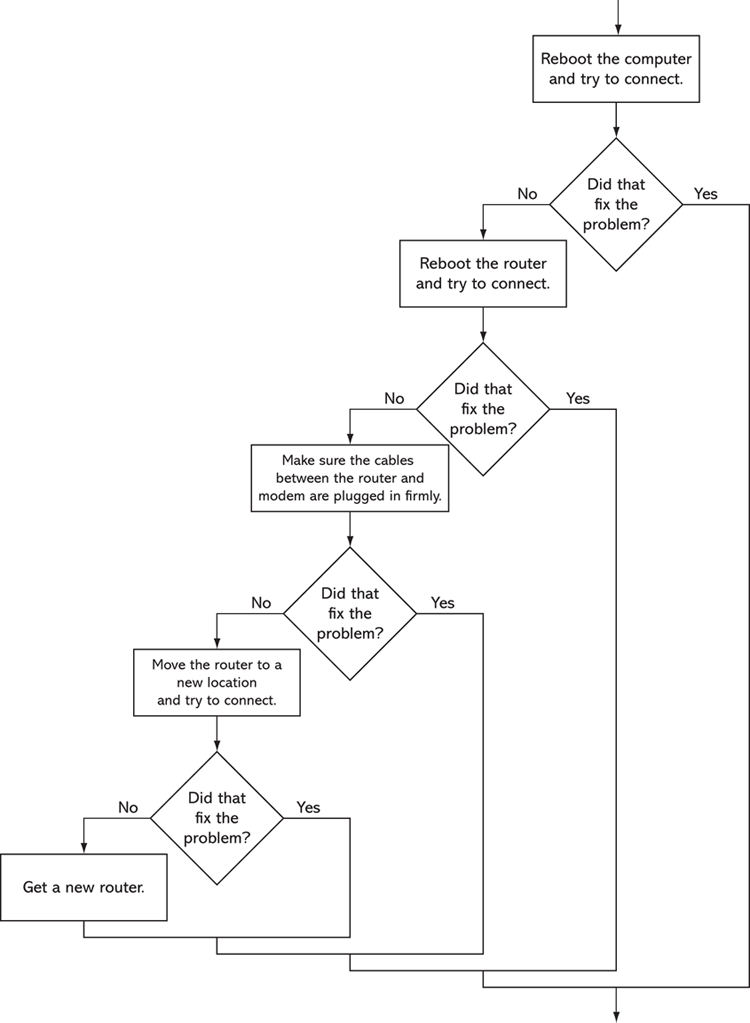
Figure 4-11 Troubleshooting a bad Wi-Fi connection Reboot the computer and try to connect. Did that fix the problem? no Enter Reboot the router and try to connect. Did that fix the problem? yesNotice the program ends as soon as a solution is found to the problem. Here is another example of the program’s output:
Reboot the computer and try to connect.
Did that fix the problem? no Enter
Reboot the router and try to connect.
Did that fix the problem? no Enter
Make sure the cables between the router and modem are plugged in firmly.
Did that fix the problem? no Enter
Move the router to a new location.
Did that fix the problem? no Enter
Get a new router.
Restaurant Selector
You have a group of friends coming to visit for your high school reunion, and you want to take them out to eat at a local restaurant. You aren’t sure if any of them have dietary restrictions, but your restaurant choices are as follows:
Joe’s Gourmet Burgers—Vegetarian: No, Vegan: No, Gluten-Free: No
Main Street Pizza Company—Vegetarian: Yes, Vegan: No, Gluten-Free: Yes
Corner Café—Vegetarian: Yes, Vegan: Yes, Gluten-Free: Yes
Mama’s Fine Italian—Vegetarian: Yes, Vegan: No, Gluten-Free: No
The Chef’s Kitchen—Vegetarian: Yes, Vegan: Yes, Gluten-Free: Yes
Write a program that asks whether any members of your party are vegetarian, vegan, or gluten-free, then displays only the restaurants that you may take the group to. Here is an example of the program’s output:
Is anyone in your party a vegetarian? yes Enter
Is anyone in your party a vegan? no Enter
Is anyone in your party gluten-free? yes Enter
Here are your restaurant choices:
   Main Street Pizza Company
   Corner Cafe
   The Chef's Kitchen
Here is another example of the program’s output:
Is anyone in your party a vegetarian? yes Enter
Is anyone in your party a vegan? yes Enter
Is anyone in your party gluten-free? yes Enter
Here are your restaurant choices:
   Corner Cafe
   The Chef's Kitchen