Chapter 17 The Standard Template Library
17.1 Introduction to the Standard Template Library
Concept:
The Standard Template Library is an extensive collection of templates for useful data structures and algorithms.
- C++ provides an extensive library of templates known as the Standard Template Library (STL).
- The STL is a collection of generic templates for classes and functions.
- Most STL templates fall into one of three categories:
- Containers: Class templates for objects that store and organize data.
- Iterators: Class templates for objects that function like pointers, used to access elements within a container.
- Algorithms: Function templates that execute various operations on the elements of containers.
17.2 STL Container and Iterator Fundamentals
Concept:
A container is an object that holds a collection of values or other objects. An iterator is an object that is used to iterate over the items in a collection, providing access to them.
Containers
- The STL provides two main types of container classes: sequence and associative.
- A sequence container stores data sequentially in memory, much like an array.
- An associative container stores data non-sequentially, allowing for faster element location.
The sequence containers currently provided in the STL are listed in Table 17-1. (Note that the deque container will be discussed in Chapter 19, and the list and forward_list containers will be discussed in Chapter 18.)
| Container Class | Description |
|---|---|
array |
A fixed-size container that is similar to an array |
deque |
A double-ended queue. Like a vector, but designed so that values can be quickly added to or removed from the front and back. (This container will be discussed in Chapter 19.) |
forward_list |
A singly linked list of data elements. Values may be inserted to or removed from any position. (This container will be discussed in Chapter 18.) |
list |
A doubly linked list of data elements. Values may be inserted to or removed from any position. (This container will be discussed in Chapter 18.) |
vector |
A container that works like an expandable array. Values may be added to or removed from a vector. The vector automatically adjusts its size to accommodate the number of elements it contains. |
The associative containers currently provided in the STL are listed in Table 17-2.
| Container Class | Description |
|---|---|
set |
Stores a set of unique values that are sorted. No duplicates are allowed. |
multiset |
Stores a set of unique values that are sorted. Duplicates are allowed. |
map |
Maps a set of keys to data elements. Only one key per data element is allowed. Duplicates are not allowed. The elements are sorted in order of their keys. |
multimap |
Maps a set of keys to data elements. Many keys per data element are allowed. Duplicates are allowed. The elements are sorted in order of their keys. |
unordered_set |
Like a set, except that the elements are not sorted |
unordered_multiset |
Like a multiset, except that the elements are not sorted |
unordered_map |
Like a map, except that the elements are not sorted |
unordered_multimap |
Like a multimap, except that the elements are not sorted |
- In addition to containers, the STL also offers container adapter classes.
- A container adapter class is not a container itself, but rather a class that adapts another container for a specific purpose.
| Container Adapter Class | Description |
|---|---|
stack |
An adapter class that stores elements in a deque (by default). A stack is a last-in, first-out (LIFO) container. When you retrieve an element from a stack, the stack always gives you the last element that was inserted. (This class will be discussed in Chapter 19.) |
queue |
An adapter class that stores elements in a deque (by default). A queue is a first-in, first-out (FIFO) container. When you retrieve an element from a stack, the stack always gives you the first, or earliest, element that was inserted. (This class will be discussed in Chapter 19.) |
priority_queue |
An adapter class that stores elements in a vector (by default). A data structure in which the element that you retrieve is always the element with the greatest value. (This class will be discussed in Chapter 19.) |
The container and container adapter classes are declared in various STL header files. Table 17-4 lists the necessary header files that you will need to include, depending on the containers you intend to use.
| Header File | Classes |
|---|---|
| <array> | array |
| <deque> | deque |
| <forward_list> | forward_list |
| <list> | list |
| <map> | map, multimap |
| <queue> | queue, priority_queue |
| <set> | set, multiset |
| <stack> | stack |
| <unordered_map> | unordered_map, unordered_multimap |
| <unordered_set> | unordered_set, unordered_multiset |
| <vector> | vector |
Introduction to the array Class
- The
arrayclass, introduced in C++ 11, is one of the simplest containers in the STL. - It functions similarly to a regular C++ array, serving as a fixed-size container for elements of the same data type.
- Internally, an
arrayobject uses a traditional array for storage. - A key advantage over regular arrays is the
size()member function, which returns the number of elements. - When defining an
arrayobject, you must specify both the element data type and the number of elements.
array<int, 5> numbers;- You can use an initialization list to initialize an
array.
array<int, 5> numbers = {1, 2, 3, 4, 5};- Here is an example with strings:
array<string, 4> names = {"Jamie", "Ashley", "Doug", "Claire"};- The
arrayclass overloads the[]operator, allowing element access with a subscript, just like a regular array.
The array Container
🗊 Program 17-1
 #include <iostream>
 #include <string>
 #include <array>
 using namespace std;

 int main()
 {
     const int SIZE = 4;

     array<string, SIZE> names = {"Jamie", "Ashley", "Doug", "Claire"};

     cout << "Here are the names:\n";
     for (int index = 0; index < names.size(); index++)
       cout << names[index] << endl;

     return 0;
 }
💻 Program Output
- In Program 17-1:
- Line 11 defines an
arrayobject namednamesand initializes it with four strings. - The
forloop in lines 15-16 displays the strings, using thesize()member function in its test expression. - Line 16 uses the
[]operator to access the object’s elements.
- Line 11 defines an
- The
forloop can be simplified using a range-basedforloop.
for (auto element : names)
   cout << element << endl;
Warning!
The array class’s [] operator does not perform bounds checking. As with regular arrays, you must be careful not to use a subscript that is out of bounds with an array object.
- The
arrayclass provides an object-oriented alternative to traditional arrays in C++. - It includes several member functions for added capabilities, many of which return iterators.
| Member Function | Description |
|---|---|
at(index) |
Returns a reference to the element located at the specified index. If the specified index is out of bounds, the at function throws an out_of_bounds exception. |
back() |
Returns a reference to the last element in the container. |
begin() |
Returns an iterator to the first element in the container. |
cbegin() |
Returns a const_iterator to the first element in the container. |
cend() |
Returns a const_iterator pointing to the end of the container. |
crbegin() |
Returns a const_reverse_iterator pointing to the last element in the container. |
crend() |
Returns a const_reverse_iterator pointing to the first element in the container. |
data() |
Returns a pointer to the first element in the container. The array class uses a traditional array to store its data, so the pointer returned from the data() function points to the first element in the underlying array. |
empty() |
Returns true if the container is empty, or false otherwise. |
end() |
Returns an iterator pointing to the end of the container. |
fill(value) |
Sets the value of each element to value. |
front() |
Returns a reference to the first element in the container. |
max_size() |
Returns the number of elements in the container (the same value returned by the size() member function). |
rbegin() |
Returns a reverse_iterator pointing to the last element in the container. |
rend() |
Returns a reverse_iterator pointing to the first element in the container. |
size() |
Returns the number of elements in the container. |
swap(second) |
The second argument must be an array object of the same type and size as the calling object. The function swaps the contents of the calling object and the second object. |
Iterators
Iterators
- Iterators are objects that function like pointers, providing a way to access and iterate over data stored in containers.
- There are five categories of iterators.
| Iterator Category | Description |
|---|---|
| Forward | Can only move forward in a container (uses the ++ operator). |
| Bidirectional | Can move forward or backward in a container (uses the ++ and – operators). |
| Random access | Can move forward and backward, and can jump to a specific data element in a container. |
| Input | Can be used with an input stream to read data from an input device or a file. |
| Output | Can be used with an output stream to write data to an output device or a file. |
- The type of iterator you use depends on the container:
array,vector, anddequeuse random-access iterators.list,set,multiset,map, andmultimapuse bidirectional iterators.forward_listand theunorderedcontainers use forward iterators.
- Iterators share several characteristics with pointers:
- They can point to an element in a container.
- The
*operator dereferences an iterator to get the element it points to. - The
–>operator accesses members of an object pointed to by an iterator. - They can be assigned with the
=operator and compared with==and!=. - The
++operator moves an iterator to the next element. - The
--operator (for bidirectional and random-access iterators) moves to the previous element.
Defining an Iterator
- To define an iterator, you need to know the container type it will be used with.
- The general format is:
containerType::iterator iteratorName;- For an
arrayobject, the definition would look like this:
array<string, 3> names = {"Sarah", "William", "Alfredo"};array<string, 3>::iterator it;- This defines an iterator named
itsuitable for anarray<string, 3>object. The compiler automatically selects the appropriate iterator type (random-access in this case).
Getting an Iterator from a Container Object
- All STL container classes provide
begin()andend()member functions. - The
begin()function returns an iterator pointing to the first element in the container. - This example demonstrates initializing an iterator and using it to display the first element:
array<string, 3> names = {"Sarah", "William", "Alfredo"};
array<string, 3>::iterator it;
it = names.begin();
cout << *it << endl;
The
end()function returns an iterator pointing to the position after the last element. It marks the end of the container but does not point to a valid element.The
end()function is typically used in loops to determine when the end of a container has been reached.This code snippet uses a
whileloop with an iterator to display all elements in anarray:
array<string, 3> names = {"Sarah", "William", "Alfredo"};
array<string, 3>::iterator it;
it = names.begin();
while (it != names.end())
{
   cout << *it << endl;
   it++;
}- The same logic can be implemented more concisely with a
forloop.
🗊 Program 17-2
 #include <iostream>
 #include <string>
 #include <array>
 using namespace std;

 int main()
 {
     const int SIZE = 3;

     array<string, SIZE> names = {"Sarah", "William", "Alfredo"};

     array<string, SIZE>::iterator it;

     cout << "Here are the names:\n";
     for (it = names.begin(); it != names.end(); it++)
         cout << *it << endl;

     return 0;
 }
💻 Program Output
Using auto to Define an Iterator
- The
autokeyword can simplify iterator definitions, especially when initializing them with a function’s return value. - Instead of explicitly writing the full iterator type:
array<string, 3> names = {"Sarah", "William", "Alfredo"};
array<string, 3>::iterator it = names.begin();- You can use
auto, and the compiler will deduce the correct type:
array<string, 3> names = {"Sarah", "William", "Alfredo"};
auto it = names.begin();- This is particularly useful for declaring iterators within the initialization expression of a
forloop.
🗊 Program 17-3
💻 Program Output
Mutable Iterators and const_iterators
- A standard
iteratorprovides read/write access and is known as a mutable iterator. It allows you to modify the element it points to.
array<int, 5> numbers = {1, 2, 3, 4, 5};
array<int, 5>::iterator it;
it = numbers.begin();
*it = 99;- If you define a container as
const, its contents cannot be changed.
const array<string, 3> names = {"Sarah", "William", "Alfredo"};- To work with a
constcontainer, you must use aconst_iterator, which provides read-only access.
array<string, 3>::const_iterator it;- All containers provide
cbegin()andcend()member functions that returnconst_iterators pointing to the first element and the end of the container, respectively.
Reverse Iterators
A reverse iterator allows you to iterate backward through the elements of a container.
For a reverse iterator, the
++operator moves it backward, and the--operator moves it forward.Containers that support reverse iterators include
array,deque,list,map,multimap,multiset,set, andvector.These classes provide
rbegin()andrend()member functions.rbegin()returns a reverse iterator pointing to the last element in the container.rend()returns a reverse iterator pointing to the position before the first element.You can define a reverse iterator using the
reverse_iteratortype. This example displays anarray’s contents in reverse.
array<int, 5> numbers = {1, 2, 3, 4, 5};
array<int, 5>::reverse_iterator it;
for (it = numbers.rbegin(); it != numbers.rend(); it++)
cout << *it << endl;- A standard
reverse_iteratoris mutable (read/write). - For
constcontainers, you must use aconst_reverse_iteratorfor read-only access.
const array<string, 3> names = {"Sarah", "William", "Alfredo"};
array<string, 3>::const_reverse_iterator it;- Containers that support reverse iterators also provide
crbegin()andcrend()member functions to getconst_reverse_iterators.
Checkpoint
17.1 What two types of containers does the STL provide?
17.2 What is a container adapter class?
17.3 What is an iterator?
17.4 Suppose you are writing a program that uses the
array,multimap, andvectorclasses. What header files must you#includein the program, in order to use these classes?17.5 What is the difference between a bidirectional iterator and a random-access iterator?
17.6 What does the
++operator do when applied to an iterator?17.7 What does a container’s
begin()andend()member functions return?17.8 What is the difference between a mutable iterator and a
const_iterator?17.9 What is a reverse iterator?
17.10 What does a container’s
rbegin()andrend()member functions return?
Concept:
Many commonly used algorithms are written as function templates in the STL.
- The STL includes numerous algorithms, implemented as function templates in the
<algorithm>header file. - These functions operate on ranges of elements.
- A range of elements is a sequence defined by two iterators: one pointing to the first element and one pointing to the position after the last element.
- STL algorithms can be grouped into various categories, such as sorting, searching, copying, swapping, and set operations.
- There are currently 85 function templates in
<algorithm>. A complete summary is available in Appendix H.
Sorting and Searching Algorithms
- The
<algorithm>header provides several templates for sorting and searching. - The
sortfunction sorts a range of elements in ascending order. Its format is:
sort(iterator1, iterator2)- The
binary_searchfunction searches a sorted range for a specific value. Its format is:
binary_search(iterator1, iterator2, value)- It returns
trueif the value is found andfalseotherwise.
🗊 Program 17-23
 #include <iostream>
 #include <vector>
 #include <algorithm>
 using namespace std;

 int main()
 {
    int searchValue;

    vector<int> numbers = {10, 1, 9, 2, 8, 3, 7, 4, 6, 5};

    sort(numbers.begin(), numbers.end());

    cout << "Here are the sorted values:\n";
    for (auto element : numbers)
       cout << element << " ";
    cout << endl;

    cout << "Enter a value to search for: ";
    cin >> searchValue;

    if (binary_search(numbers.begin(), numbers.end(), searchValue))
        cout << "That value is in the vector.\n";
    else
       cout << "That value is not in the vector.\n";

    return 0;
 }
💻 Program Output
💻 Program Output
- The
sortandbinary_searchfunctions rely on the<operator to compare elements. - When working with your own class objects, you must overload the
<operator in that class for these functions to work correctly.
🗊 Program 17-24
 #include <iostream>
 #include <vector>
 #include <algorithm>
 #include "Customer.h"
 using namespace std;

 int main()
 {
    int searchValue;

    vector<Customer> customers =
       { Customer(1003, "Megan Cruz"),
         Customer(1001, "Sarah Scott"),
         Customer(1002, "Austin Hill")
       };

    sort(customers.begin(), customers.end());

    cout << "Here are the sorted customers:\n";
    for (auto element : customers)
    {
       cout << element.getCustNumber() << " "
              << element.getName() << endl;
    }
    cout << endl;

    cout << "Enter a customer number to search for: ";
    cin >> searchValue;

    if (binary_search(customers.begin(), customers.end(),
                     Customer(searchValue, "")))
       cout << "That customer is in the vector.\n";
    else
       cout << "That customer is not in the vector.\n";

    return 0;
 }
💻 Program Output
💻 Program Output
- Analysis of Program 17-24:
- Lines 12-16 define a
vectorofCustomerobjects. - Line 19 sorts the
vectorusing theCustomerclass’s overloaded<operator, which compares customer numbers. - To search, a temporary
Customerobject is created with the user’ssearchValueand passed as the third argument tobinary_search. The function uses this object for comparison to find a match.
- Lines 12-16 define a
Detecting Permutations
- A permutation is a unique arrangement of elements. A range of N elements has N! possible permutations.
- The STL’s
is_permutationfunction determines if one range of elements is a permutation of another. - The function format is:
is_permutation(iterator1, iterator2, iterator3)iterator1anditerator2mark the first range, anditerator3marks the beginning of the second range.- It returns
trueif the second range is a permutation of the first, andfalseotherwise.
🗊 Program 17-25
 #include <iostream>
 #include <vector>
 #include <algorithm>
 using namespace std;

 int main()
 {
    const int MAX = 5;
    vector<int> winning(MAX);
    vector<int> player(MAX);

    cout << "Enter the " << MAX << " winning numbers:\n";
    for (auto &element : winning)
    {
       cout << "> ";
       cin >> element;
    }

    cout << "\nEnter your " << MAX << " lottery numbers:\n";
    for (auto &element : player)
    {
       cout << "> ";
       cin >> element;
    }

    if (is_permutation(winning.begin(), winning.end(),
                      player.begin()))
       cout << "You won the lottery!\n";
    else
       cout << "Sorry, you did not win.\n";

    return 0;
 }
💻 Program Output
💻 Program Output
Plugging Your Own Functions into an Algorithm
- In C++, a function’s name can be used to get its memory address, creating a function pointer.
- Many STL algorithms are designed to accept function pointers as arguments, allowing you to integrate your own custom logic.
- The
for_eachfunction is an example. Its format is:
for_each(iterator1, iterator2, function)- It iterates over the specified range, calling the provided
functionfor each element.
🗊 Program 17-26
 #include <iostream>
 #include <vector>
 #include <algorithm>
 using namespace std;

 void doubleNumber(int &);

 int main()
 {
    vector<int> numbers = { 1, 2, 3, 4, 5 };

    for (auto element : numbers)
       cout << element << " ";
    cout << endl;

    for_each(numbers.begin(), numbers.end(), doubleNumber);

    for (auto element : numbers)
       cout << element << " ";
    cout << endl;

    return 0;
 }

 void doubleNumber(int &n)
 {
    n = n * 2;
 }
💻 Program Output
- Another example is the
count_iffunction. Its format is:
count_if(iterator1, iterator2, function)- It iterates over a range, passing each element to a function that returns
trueorfalse(a predicate). count_ifreturns the total number of elements for which the predicate function returnstrue.
🗊 Program 17-27
 #include <iostream>
 #include <vector>
 #include <algorithm>
 using namespace std;

 bool outOfRange(int);

 int main()
 {
    vector<int> numbers = { 0, 99, 120, -33, 10, 8, -1, 101 };

    int invalid = count_if(numbers.begin(), numbers.end(), outOfRange);

    cout << "There are " << invalid << " elements out of range.\n";
    return 0;
 }

 bool outOfRange(int n)
 {
    const int MIN = 0, MAX = 100;

    bool status;

    if (n < MIN || n > MAX)
       status = true;
    else
       status = false;

    return status;
 }
💻 Program Output
Using the STL to Perform Set Operations
- The STL provides function templates for common mathematical set operations.
| Function Template | Description |
|---|---|
set_union(iterator1,iterator2,iterator3,iterator4,iterator5) |
Finds the union of two sets. The union of two sets is a set that contains all the elements of both sets, excluding duplicates. The The function returns an iterator pointing to the end of the range of elements in the union. |
set_intersection (iterator1,iterator2,iterator3,iterator4,iterator5) |
Finds the intersection of two sets. The intersection of two sets is a set that contains only the elements that are found in both sets. The The function returns an iterator pointing to the end of range of elements in the intersection. |
set_difference (iterator1,iterator2,iterator3,iterator4,iterator5) |
Finds the difference of two sets. The difference of two sets is the set of elements that appear in one set, but not the other. The The function returns an iterator pointing to the end of the range of elements in the difference. |
set_symmetric_difference (iterator1,iterator2,iterator3,iterator4,iterator5) |
Finds the symmetric difference of two sets. The symmetric difference of two sets is the set of elements that are in one set, but not in both. The The function returns an iterator pointing to the end of the range of elements in the symmetric difference. |
includes(iterator1,iterator2,iterator3,iterator4) |
Determines whether one set includes another set. The The function returns |
- These functions can be used with any container type that supports iterators, such as
set,vector, orarray. - A critical requirement is that the element ranges must be sorted in ascending order before using these functions. Using a
setcontainer is convenient as it automatically maintains its elements in sorted order.
Finding the Union of Sets with the set_union Function
- The union of two sets contains all the elements from both sets, with duplicates excluded.
- The
set_unionfunction calculates the union of two sets and stores the result in a third container.
🗊 Program 17-28
 #include <iostream>
 #include <set>
 #include <algorithm>
 #include <vector>
 using namespace std;

 int main()
 {
    set<int> set1 = {1, 2, 3, 4};
    set<int> set2 = {3, 4, 5, 6};

    vector<int> result(set1.size() + set2.size());

    auto iter = set_union(set1.begin(), set1.end(),
                         set2.begin(), set2.end(),
                         result.begin());

    result.resize(iter - result.begin());

    cout << "The union of the sets is:\n";
    for (auto element : result)
    {
       cout << element << " ";
    }
    cout << endl;

    return 0;
 }
💻 Program Output
- Analysis of Program 17-28:
- Lines 10-11 define two
sets. - Line 15 defines a
vectornamedresult, large enough to hold all elements from both sets. - Lines 20-22 call
set_union. The function populatesresultwith the union and returns an iterator (iter) pointing to the end of the union within theresultvector. - Line 25 resizes
resultto discard any extra, unused elements.
- Lines 10-11 define two
Finding the Intersection of Sets with the set_intersection Function
- The intersection of two sets contains only the elements that are common to both sets.
- The
set_intersectionfunction calculates this intersection and stores it in a third container.
🗊 Program 17-29
 #include <iostream>
 #include <set>
 #include <algorithm>
 #include <vector>
 using namespace std;

 int main()
 {
    set<int> set1 = {1, 2, 3, 4};
    set<int> set2 = {3, 4, 5, 6};

    vector<int> result(set1.size() + set2.size());

    auto iter = set_intersection(set1.begin(), set1.end(),
                               set2.begin(), set2.end(),
                               result.begin());

    result.resize(iter - result.begin());

    cout << "The intersection of the sets is:\n";
    for (auto element : result)
    {
       cout << element << " ";
    }
    cout << endl;

    return 0;
 }
💻 Program Output
- Analysis of Program 17-29:
- The program defines two sets.
- A
vectornamedresultis created to store the intersection. It’s sized to be large enough to hold all potential elements. set_intersectionis called. It fills theresultvector and returns an iterator marking the end of the intersection.- The
resultvector is then resized to remove unused space.
Finding the Difference of Sets with the set_difference Function
- The difference of two sets contains the elements that appear in the first set but not in the second.
- The
set_differencefunction calculates this difference and stores it in a third container.
🗊 Program 17-30
 #include <iostream>
 #include <set>
 #include <algorithm>
 #include <vector>
 using namespace std;

 int main()
 {
    set<int> set1 = {1, 2, 3, 4};
    set<int> set2 = {3, 4, 5, 6};

    vector<int> result(set1.size() + set2.size());

    auto iter = set_difference(set1.begin(), set1.end(),
                             set2.begin(), set2.end(),
                             result.begin());

    result.resize(iter - result.begin());

    cout << "The difference of set1 and set2 is:\n";
    for (auto element : result)
    {
       cout << element << " ";
    }
    cout << endl;

    return 0;
 }
💻 Program Output
- Analysis of Program 17-30:
- The program initializes two sets.
- A
vectornamedresultis created with enough capacity for the operation. set_differenceis called to compute the difference betweenset1andset2, storing it inresult.- The function returns an iterator to the end of the resulting elements, which is used to resize the
resultvector.
Finding the Symmetric Difference of Sets with the set_symmetric_difference Function
- The symmetric difference of two sets contains elements that are in either set, but not in both.
- The
set_symmetric_differencefunction calculates this and stores the result in a third container.
🗊 Program 17-31
 #include <iostream>
 #include <set>
 #include <algorithm>
 #include <vector>
 using namespace std;

 int main()
 {
    set<int> set1 = {1, 2, 3, 4};
    set<int> set2 = {3, 4, 5, 6};

    vector<int> result(set1.size() + set2.size());

    auto iter = set_symmetric_difference(set1.begin(), set1.end(),
                                      set2.begin(), set2.end(),
                                      result.begin());

    result.resize(iter - result.begin());

    cout << "The symmetric difference of the sets is:\n";
    for (auto element : result)
    {
       cout << element << " ";
    }
    cout << endl;

    return 0;
 }
💻 Program Output
- Analysis of Program 17-31:
- After defining two sets, the program creates a
resultvector. - The
set_symmetric_differencefunction is called to find the elements that are unique to each set. - The function returns an iterator that points past the last element of the result, which is then used to correctly resize the
resultvector.
- After defining two sets, the program creates a
Finding Subsets
- A set is a subset of another if all its elements are also present in the other set.
- The
includesfunction determines if one sorted range contains all the elements of another sorted range. - It returns
trueif the first range includes the second, andfalseotherwise.
🗊 Program 17-32
 #include <iostream>
 #include <set>
 #include <algorithm>
 using namespace std;

 int main()
 {
    set<int> set1 = {1, 2, 3, 4};
    set<int> set2 = {2, 3};

    if (includes(set1.begin(), set1.end(),
                set2.begin(), set2.end()))
    {
       cout << "set2 is a subset of set1.\n";
    }
    else
    {
       cout << "set2 is NOT a subset of set1.\n";
    }

    return 0;
 }
💻 Program Output
In the Spotlight:
Set Operations
- Program 17-33 provides a practical demonstration of various set operations.
- It uses two sets to store the names of students on a baseball team and a basketball team.
- The program performs the following operations:
- Intersection: Finds students who play both sports.
- Union: Finds all students who play either sport.
- Difference: Finds students who play one sport but not the other.
- Symmetric Difference: Finds students who play exactly one sport, but not both.
🗊 Program 17-33
 #include <iostream>
 #include <string>
 #include <algorithm>
 #include <set>
 #include <vector>
 using namespace std;

 void displaySet(set<string>);
 void displayIntersection(set<string>, set<string>);
 void displayUnion(set<string>, set<string>);
 void displayDifference(set<string>, set<string>);
 void displaySymmetricDifference(set<string>, set<string>);

 int main()
 {
     set<string> baseball = {"Jodi", "Carmen", "Aida", "Alicia"};
     set<string> basketball = {"Eva", "Carmen", "Alicia", "Sarah"};

     cout << "The following students are on the baseball team:\n";
     displaySet(baseball);

     cout << "\n\nThe following students are on the basketball team:\n";
     displaySet(basketball);

     cout << "\n\nThe following students play both sports:\n";
     displayIntersection(baseball, basketball);

     cout << "\n\nThe following students play either sport:\n";
     displayUnion(baseball, basketball);

     cout << "\n\nThe following students play baseball, "
          << "but not basketball:\n";
     displayDifference(baseball, basketball);

     cout << "\n\nThe following students play basketball, "
          << "but not baseball:\n";
     displayDifference(basketball, baseball);

     cout << "\n\nThe following students play one sport, "
          << "but not both:\n";
     displaySymmetricDifference(basketball, baseball);
     return 0;
 }

 void displaySet(set<string> s)
 {
    for (auto element : s)
       cout << element << " ";
 }

 void displayIntersection(set<string> set1, set<string> set2)
 {
     vector<string> result(set1.size() + set2.size());

     auto iter = set_intersection(set1.begin(), set1.end(),
                                set2.begin(), set2.end(),
                                result.begin());

     result.resize(iter - result.begin());

     for (auto element : result)
     {
        cout << element << " ";
     }
 }

 void displayUnion(set<string> set1, set<string> set2)
 {
     vector<string> result(set1.size() + set2.size());

     auto iter = set_union(set1.begin(), set1.end(),
                         set2.begin(), set2.end(),
                         result.begin());

     result.resize(iter - result.begin());

     for (auto element : result)
     {
         cout << element << " ";
     }
 }

 void displayDifference(set<string> set1, set<string> set2)
 {
     vector<string> result(set1.size() + set2.size());

     auto iter = set_difference(set1.begin(), set1.end(),
                              set2.begin(), set2.end(),
                              result.begin());

    result.resize(iter - result.begin());

    for (auto element : result)
    {
       cout << element << " ";
    }
 }

 void displaySymmetricDifference(set<string> set1, set<string> set2)
 {
    vector<string> result(set1.size() + set2.size());

    auto iter = set_symmetric_difference(set1.begin(), set1.end(),
                                      set2.begin(), set2.end(),
                                      result.begin());

    result.resize(iter - result.begin());

    for (auto element : result)
    {
       cout << element << " ";
    }
 }
💻 Program Output
Checkpoint
17.36 When a range of elements is denoted by two iterators, to what does the first iterator point? To what does the second iterator point?
17.37 What value will be stored in
v[0]after the following code executes?vector<int> v = {8, 4, 6, 1, 9}; sort(v.begin(), v.end());17.38 What must you do to a range of elements before searching it with the
binary_search()function?17.39 If the elements that you are sorting with the
sort()function contain your own class objects, you must be sure that the class overloads what operator?17.40 If the elements that you are searching with the
binary_search()function contain your own class objects, you must be sure that the class overloads what operator?17.41 What is a function pointer?
17.42 Assume
vectis a vector that contains 100intelements, and the following statement appears in a program:for_each(vect.begin(), vect.end(), myFunction);Without knowing anything else about the program, answer the following questions:
What is
myFunction?How many arguments does
myFunctionaccept? What are the data type(s) of the argument(s)?What value does
myFunctionreturn?How many times will the statement cause
myFunctionto be called?
17.3 The vector Class
Concept:
A vector is a sequence container that works like an array, but is dynamic in size.
- This section provides a more in-depth look at the
vectorclass, including how to use iterators to access its elements.
The vector Container
- A
vectorstores a sequence of elements, using an array internally for storage. - It offers several advantages over a standard array:
- You do not have to specify the size when you define it.
- It is dynamic in size; elements can be added or deleted at runtime, and the
vectoradjusts its size automatically. - It can report the number of elements it contains.
- To use the
vectorclass, you must include the<vector>header file. - You can define a
vectorobject using one of its available constructors.
| Default Constructor |
Creates an empty vector object. In the general format, dataType is the data type of each element, and name is the name of the vector. |
| Fill Constructor |
Creates a vector object of a specified size. In the general format, dataType is the data type of each element, and name is the name of the vector. The size argument is an unsigned integer that specifies the number of elements that the vector should initially have. If the elements are objects, they are initialized via their default constructors. Otherwise, the elements are initialized with the value 0. |
| Fill Constructor |
Creates a vector object of a specified size, where each element is initially given a specified value. In the general format, dataType is the data type of each element, and name is the name of the vector. The size argument is an unsigned integer that specifies the number of elements that the vector should initially have, and the value argument is the value with which to fill each element. |
| Range Constructor |
Creates a vector object that initially contains a range of values specified by two iterators. In the general format, dataType is the data type of each element, and name is the name of the vector. The iterator1 and iterator2 arguments mark the beginning and end of a range of values that will be stored in the vector. |
| Copy Constructor |
Creates a vector object that is a copy of another vector or object. In the general format, dataType is the data type of each element, name is the name of the vector, and vector2 is the vector to copy. |
| Member Function | Description |
|---|---|
assign(size,value) |
Assigns a new set of elements to the container, replacing its existing elements. The size argument is an unsigned integer that specifies the number of elements that the vector should have, and the value argument is the value with which to fill each element. After the function executes, the container will have size elements, each set to value. |
assign(iterator1,iterator2) |
Assigns a new set of elements to the container, replacing its existing contents with a range of values specified by iterators. The iterator1 and iterator2 arguments mark the beginning and end of a range of values that will be stored in the container. |
at(index) |
The index argument is an unsigned integer. The function returns a reference to the element located at the specified index. (The first element is at index 0, the second element is at index 1, and so on.) If the specified index is out of bounds, the at function throws an out_of_bounds exception. |
back() |
Returns a reference to the last element in the container. |
begin() |
Returns an iterator to the first element in the container. |
capacity() |
Returns the number of elements that the container’s underlying array can hold without reallocating the array. |
cbegin() |
Returns a const_iterator to the first element in the container. |
cend() |
Returns a const_iterator pointing to the end of the container. |
clear() |
Erases all of the elements in the container. |
crbegin() |
Returns a const_reverse_iterator pointing to the last element in the container. |
crend() |
Returns a const_reverse_iterator pointing to the first element in the container. |
data() |
Returns a pointer to the first element in the container. The vector class uses a traditional array to store its data, so the pointer returned from the data() function points to the first element in the underlying array. |
emplace(it,value) |
Constructs a new element with value as its value. The it argument is an iterator pointing to an existing element in the container. The new element will be inserted before the one pointed to by it. |
emplace_back(value) |
Constructs a new element containing the specified value at the end of the container. |
empty() |
Returns true if the container is empty, or false otherwise. |
end() |
Returns an iterator pointing to the end of the container. |
erase(it) |
Erases the element pointed to by the iterator it. This function returns an iterator pointing to the element that follows the removed element (or the end of the container, if the removed element was the last one). |
erase(iterator1,iterator2) |
Erases a range of elements. The iterator1 and iterator2 arguments mark the beginning and end of a range of values that will be erased. This function returns an iterator pointing to the element that follows the removed elements (or the end of the container, if the last element was erased). |
front() |
Returns a reference to the first element in the container. |
insert(it,value) |
Inserts a new element with value as its value. The it argument is an iterator pointing to an existing element in the container. The new element will be inserted before the one pointed to by it. The function returns an iterator pointing to the newly inserted element. |
insert(it,n,value) |
Inserts n new elements with value as their value. The it argument is an iterator pointing to an existing element in the container, and n is an unsigned integer. The new elements will be inserted before the one pointed to by it. The function returns an iterator pointing to the first element of the newly inserted elements. |
insert(iterator1,iterator2,iterator3) |
Inserts a range of new elements. The iterator1 argument points to an existing element in the container. The range of new elements will be inserted before the element pointed to by iterator1. The iterator2 and iterator3 arguments mark the beginning and end of a range of values that will be inserted. (The element pointed to by iterator3 will not be included in the range.) The function returns an iterator pointing to the first element of the newly inserted range. |
max_size() |
Returns the theoretical maximum size of the container. |
pop_back() |
Removes the last element of the container. |
push_back(value) |
Adds a new element containing value to the end of the container. |
rbegin() |
Returns a reverse_iterator pointing to the last element in the container. |
rend() |
Returns a reverse_iterator pointing to the first element in the container. |
resize(n) |
The n argument is an unsigned integer. This function resizes the container so it has n elements. If the current size of the container is larger than n, then the container is reduced in size so it keeps only the first n elements. If the current size of the container is smaller than n, then the container is increased in size so it has n elements. |
resize(n,value) |
Resizes the container so it has n elements (the n argument is an unsigned integer). If the current size of the container is larger than n, then the container is reduced in size so it keeps only the first n elements. If the current size of the container is smaller than n, then the container is increased in size so that it has n elements, and each of the new elements is initialized with value. |
shrink_to_fit() |
Requests that the vector be resized so its capacity is the same as its size. |
size() |
Returns the number of elements in the container. |
swap(second) |
The second argument must be a vector object of the same type as the calling object. The function swaps the contents of the calling object and the second object. |
Review of Basic vector Operations
- An empty
vectorcan be defined using the default constructor.
vector<int> numbers;- With C++11 or later, you can use an initialization list.
vector<int> numbers = {1, 2, 3, 4, 5};- Here is an example with strings:
vector<string> names = {"Joe", "Karen", "Lisa", "Jackie"};- The
vectorclass overloads the[]operator, which allows you to access elements using a subscript, just like with an array.
🗊 Program 17-4
💻 Program Output
- The
[]operator has limitations and can only be used to access elements that already exist in avector. - You cannot use the
[]operator to add new elements to avector; doing so on an emptyvectorwill cause a runtime error.
vector<int> numbers;
numbers[0] = 99; - To add new elements, you must use a member function like
push_back(), which adds a new element to the end of the container.
vector <int> numbers;
numbers.push_back(10);
numbers.push_back(20);
numbers.push_back(30);- The
at()member function can be used to retrieve an element by its index with bounds checking. - If you use an out-of-bounds index, the
at()function will throw anout_of_boundsexception.
vector<string> names = {"Joe", "Karen", "Lisa"};
cout << names.at(3) << endl;
Using an Iterator with a vector
- The
vectorclass supportsiterator,const_iterator,reverse_iterator, andconst_reverse_iteratortypes. - It provides member functions such as
begin(),end(),cbegin(),cend(),rbegin(),rend(),crbegin(), andcrend()to get these iterators. - An iterator can be used to loop through and display all the elements of a
vector.
vector<string> names = {"Joe", "Karen", "Lisa", "Jackie"};
vector<string>::iterator it;
for (it = names.begin(); it != names.end(); it++)
{
   cout << *it << endl;
}- This can be simplified by using
autoto declare the iterator within theforloop’s initialization expression.
vector<string> names = {"Joe", "Karen", "Lisa", "Jackie"};
for (auto it = names.begin(); it != names.end(); it++)
{
   cout << *it << endl;
}
Inserting New Elements into a vector
- The
insertmember function can be used to add one or more new elements at a specified position in avector.
🗊 Program 17-5
💻 Program Output
- A closer look at Program 17-5:
- Line 8 initializes a
vectorof integers. - Line 11 defines an iterator pointing to the second element.
- Line 14 inserts a new element with the value 99 just before the position indicated by the iterator
it.
- Line 8 initializes a
- Another version of the
insertfunction allows you to insert multiple elements with the same value.
vector<int> numbers = {1, 2, 3, 4, 5};
auto it = numbers.begin() + 1;
numbers.insert(it, 3, 99);- A third version of
insertlets you insert a range of elements from another container, using three iterators as arguments.
🗊 Program 17-6
 #include <iostream>
 #include <vector>
 using namespace std;

 int main()
 {
     vector<int> v1 = {1, 2, 3};
     vector<int> v2 = {100, 200, 300, 400, 500};

     auto it1 = v1.begin() + 1;
     auto it2 = v2.begin();
     auto it3 = v2.begin() + 3;

     v1.insert(it1, it2, it3);

     for (auto element : v1)
        cout << element << " ";
     cout << endl;

     return 0;
 }
💻 Program Output
- In Program 17-6, a range of elements from
v2(fromit2up to, but not including,it3) is inserted intov1at the position marked byit1.
Storing Objects of Your Own Classes as Values in a vector
- It is often useful to store objects of your own custom classes within a
vector. The followingProductclass is an example.
Contents of Product.h
 #ifndef PRODUCT_H
 #define PRODUCT_H
 #include <string>
 using namespace std;

 class Product
 {
 private:
     string name;
     int units;
 public:
     Product(string n, int u)
     {  name = n;
        units = u; }

     void setName(string n)
     {  name = n; }

     void setUnits(int u)
     {  units = u; }

     string getName() const
     {  return name; }

     int getUnits() const
     {  return units; }
 };
#endif- Program 17-7 demonstrates how to define and initialize a
vectorto holdProductobjects.
🗊 Program 17-7
 #include <iostream>
 #include <vector>
 #include "Product.h"
 using namespace std;

 int main()
 {
     vector<Product> products =
     {
         Product("T-Shirt", 20),
         Product("Calendar", 25),
         Product("Coffee Mug", 30)
     };

     for (auto element : products)
     {
         cout << "Product: " << element.getName() << endl
              << "Units: " << element.getUnits() << endl;
     }

     return 0;
 }
💻 Program Output
- Program 17-8 shows how to use the
push_backfunction to addProductobjects to avector. - It then uses an iterator to display the contents, using the
->operator to call the object’s member functions because the iterator points to an object.
🗊 Program 17-8
 #include <iostream>
 #include <string>
 #include <vector>
 #include "Product.h"
 using namespace std;

 int main()
 {
     Product prod1("T-Shirt", 20);
     Product prod2("Calendar", 25);
     Product prod3("Coffee Mug", 30);

     vector<Product> products;

     products.push_back(prod1);
     products.push_back(prod2);
     products.push_back(prod3);

     for (auto it = products.begin(); it != products.end(); it++)
     {
         cout << "Product: " << it->getName() << endl
              << "Units: " << it->getUnits() << endl;
     }

     return 0;
 }
💻 Program Output
Inserting Elements with the emplace()and emplace_back()Member Functions
- Functions like
insert()andpush_back()can be inefficient for programs that perform many insertions because they may create temporary objects in memory. - To improve performance, C++11 introduced emplacement functions, such as
emplace()andemplace_back(), which are more efficient. - Emplacement avoids creating temporary objects by constructing the new object directly in the container’s memory.
- When using emplacement functions, you don’t create an object beforehand; instead, you pass the arguments for the object’s constructor directly to the function.
- The emplacement function then handles the construction of the object in-place.
🗊 Program 17-9
 #include <iostream>
 #include <vector>
 #include "Product.h"
 using namespace std;

 int main()
 {
     vector<Product> products;

     products.emplace_back("T-Shirt", 20);
     products.emplace_back("Calendar", 25);
     products.emplace_back("Coffee Mug", 30);

     for (auto it = products.begin(); it != products.end(); it++)
     {
         cout << "Product: " << it->getName() << endl
              << "Units: " << it->getUnits() << endl;
     }

     return 0;
 }
💻 Program Output
- The
emplace()member function constructs an object at a specified location in thevector. - Its first argument is an iterator that points to the insertion position, and the following arguments are forwarded to the new object’s constructor.
🗊 Program 17-10
 #include <iostream>
 #include <vector>
 #include "Product.h"
 using namespace std;

 int main()
 {
     vector<Product> products =
     {
         Product("T-Shirt", 20),
         Product("Coffee Mug", 30)
     };

     auto it = products.begin() + 1;

     products.emplace(it, "Calendar", 25);

     for (auto element : products)
     {
         cout << "Product: " << element.getName() << endl
              << "Units: " << element.getUnits() << endl;
     }

     return 0;
 }
💻 Program Output
- A closer look at Program 17-10:
- Lines 9-13 create a
vectorwith two initializedProductobjects. - Line 16 defines an iterator
itthat points to the second element. - Line 19 uses
emplaceto construct a newProductobject with the arguments “Calendar” and 25 directly in thevector, just before the position pointed to byit.
- Lines 9-13 create a
The capacity(), max_size(), shrink_to_fit(), and reserve() Member Functions
- A
vectoruses a dynamically allocated array to store its elements. - When this internal array becomes full, the
vectormust allocate a new, larger array and copy all existing elements into it. - To avoid doing this for every new element, a
vectoroften allocates more memory than it currently needs. - A
vectorhas two sizes: its current number of elements and the number of elements it can hold before needing to reallocate its internal array. - The
size()function returns the number of elements currently stored in thevector. - The
capacity()function returns the number of elements thevector’s underlying array can hold without needing to allocate more memory. - The
max_size()function returns the theoretical maximum number of elements thevectorcan store. - The value from
capacity()will always be greater than or equal to the value fromsize(). - The
reserve()member function can be called to request an increase in avector’s capacity. - The
shrink_to_fit()function can be called to request that thevector’s capacity be reduced to match its current size.
Checkpoint
17.11 Write a statement that defines an empty
vectorobject namedavectthat can hold strings.17.12 Write a statement that defines a
vectorobject namedavectthat can holdints. Thevectorshould have ten elements (initialized with the default value 0).17.13 Write a statement that defines a
vectorobject namedavectthat can holdints. Thevectorshould have 100 elements, each initialized with the value 1.17.14 Write a statement that defines a
vectorobject namedv1that can holdints. Thevectorshould be a copy of anothervectornamev2.17.15 What happens when you use an invalid index with the
vectorclass’sat()member function?17.16 What is the difference between the
vectorclass’sinsert()member function andpush_back()member function?17.17 If your program will be added a lot of objects to a
vector, is it best to use theinert()member function, or theemplace()member function? Why?17.18 Internally, how does a
vectorstore its elements?17.19 The
vectorclass has asize()member function and acapacity()member function. What is the difference between these two member functions?
17.4 The map, multimap, and unordered_map Classes
Concept:
Each element in a map has two parts: a key and a value. Each key is associated with a specific value, and can be used to locate that value.
A map is an associative container where each stored element consists of two parts: a key and a value.
These elements are commonly referred to as key-value pairs.
To retrieve a specific value, you use its associated key, similar to looking up a word (the key) in a dictionary to find its definition (the value).
For example, a program could use a map to look up an employee’s name (value) using their unique ID number (key).
Another example is a program that retrieves a person’s phone number (value) by entering their name (key).
A program could also use a map to find a person’s phone number (value) by using their name (key).
Note:
Key–value pairs are often referred to as mappings because each key is mapped to a value.
The map Class
- The STL offers a
mapclass template for implementing map containers. - The
mapclass includes member functions for storing, retrieving, deleting, and iterating over elements.
The map Container
- To use the
mapclass, you must#includethe<map>header file. - You can then define a
mapobject using one of its constructors.
| Default Constructor |
Creates an empty |
| Range Constructor |
Creates a |
| Copy Constructor |
Creates a |
| Member Function | Description |
|---|---|
at(key) |
Returns a reference to the element containing the specified key. |
begin() |
Returns an iterator pointing to the first element in the container. |
cbegin() |
Returns a const_iterator to the first element in the container. |
cend() |
Returns a const_iterator pointing to the end of the container. |
clear() |
Erases all of the elements in the container. |
count(key) |
Returns the number of elements containing the specified key. |
crbegin() |
Returns a const_reverse_iterator pointing to the last element in the container. |
crend() |
Returns a const_reverse_iterator pointing to the first element in the container. |
emplace(key,value) |
Inserts a new element containing the specified key and value into the container. If an element with the specified key already exists, the function call does nothing. |
empty() |
Returns true if the container is empty, or false otherwise. |
end() |
Returns an iterator pointing to the end of the container (the position after the last element). |
erase(key) |
Erases the element containing the specified key. The function returns 1 if the element was erased, or 0 if no matching element was found. |
find(key) |
Searches for an element with the specified key. If the element is found, the function returns an iterator to it. If the element is not found, the function returns an iterator to the end of the map. |
insert(pair) |
Inserts a pair object as an element to the map. If an element with the specified key already exists, the function call does nothing. |
lower_bound(key) |
Returns an iterator pointing to the first element with a key that is equal to or greater than key. |
max_size() |
Returns the theoretical maximum size of the container. |
rbegin() |
Returns a reverse_iterator pointing to the last element in the container. |
rend() |
Returns a reverse_iterator pointing to the first element in the container. |
size() |
Returns the number of elements in the container. |
swap(second) |
The second argument must be a map object of the same type as the calling object. The function swaps the contents of the calling object and the second object. |
upper_bound(key) |
Returns an iterator pointing to the first element with a key that is greater than key. |
- Here is an example of defining a
mapwhere keys areints (employee IDs) and values arestrings (employee names).
map<int, string> employees;- In a
map, all keys must be unique; no two elements can share the same key value.
Initializing a Map
- You can use an initialization list to initialize a
map.
map<int, string> employees =
  {{101, "Chris Jones"}, {102, "Jessica Smith"},
{103, "Amanda Stevens"}, (104, "Will Osborn"}};- Each element in the initialization list is a key-value pair enclosed in its own set of curly braces.
- If an initialization list contains duplicate keys, only the first element with that key is added to the
map; the others are ignored.
Adding Elements to an Existing Map
- The
mapclass overloads the[]operator, which can be used to add new elements.
mapName[key] = value;- If the key already exists in the map, its associated value is updated.
- If the key does not exist, a new key-value pair is added to the map.
map<int, string> employees;
employees[110] = "Beth Young";
employees[111] = "Jake Brown";
employees[112] = "Emily Davis";- Assigning a new value to an existing key will replace the old value.
map<int, string> employees;
employees[110] = "Beth Young";
employees[110] = "Jake Brown";
Adding Elements with the insert() Member Function
- Elements in a
mapare stored as objects of thepairtype. Apairis astructwith two members:first(for the key) andsecond(for the value). - The
insert()member function adds apairobject to the map. - You can use the
make_pairfunction to create apairobject to pass toinsert().
map<int, string> employees;
employees.insert(make_pair(110, "Beth Young"));
employees.insert(make_pair(111, "Jake Brown"));
employees.insert(make_pair(112, "Emily Davis"));- The
insert()function will not add a new element if its key already exists in the map.
Note:
The pair struct and the make_pair function template are declared in the <utility> header file. If you have included the <map> header file, the <utility> header file will be automatically included as well.
Adding Elements with the emplace() Member Function
- The
mapclass’semplace()member function constructs a new element directly within the container. - You pass the new element’s key and value as arguments to the function.
map<int, string> employees;
employees.emplace(110, "Beth Young");
employees.emplace(111, "Jake Brown");
employees.emplace(112, "Emily Davis");- Similar to
insert(), theemplace()function will not add a new element if its key already exists.
Retrieving Values from a Map
- You can retrieve a value from a
mapusing theat()member function, passing the key as an argument. - If the key exists, the function returns its associated value; if not, it throws an exception.
map<int, string> employees =
  {{101, "Chris Jones"}, {102, "Jessica Smith"},
   {103, "Amanda Stevens"}, (104, "Will Osborn"}};
cout << employees.at(103) << endl;- To avoid an exception, you should first use the
count()member function to check if a key exists. - The
count()function returns 1 if the key is found and 0 otherwise.
map<int, string> employees =
  {{101, "Chris Jones"}, {102, "Jessica Smith"},
   {103, "Amanda Stevens"}, (104, "Will Osborn"}};
if (employees.count(103))
   cout << employees.at(103) << endl;
else
   cout << "Employee not found.\n";
Deleting Elements
- The
erase()member function deletes an element from amap. - You call the function with the key of the element you wish to remove.
map<int, string> employees =
  {{101, "Chris Jones"}, {102, "Jessica Smith"},
   {103, "Amanda Stevens"}, (104, "Will Osborn"}};
employees.erase(102);- The
erase()function returns 1 if the element was successfully deleted and 0 if it was not found.
Iterating Over a Map with the Range-Based for Loop
- The range-based
forloop provides a convenient way to iterate through all elements in a map.
map<int, string> employees =
  {{101, "Chris Jones"}, {102, "Jessica Smith"},
   {103, "Amanda Stevens"}, (104, "Will Osborn"}};
for (auto element : employees)
{
   cout << "ID: " << element.first << "\tName: " << element.second << endl;
}- In the loop, the range variable (
element) is apairobject. The key is accessed viaelement.firstand the value viaelement.second. - Using the
autokeyword for the range variable simplifies the code, as the compiler determines thepairtype automatically.
Using an Iterator with a Map
- A bidirectional iterator can be used to access the elements of a
map. - The
begin()member function returns an iterator to the first element, andend()returns an iterator to the position after the last element.
🗊 Program 17-11
 #include <iostream>
 #include <string>
 #include <map>
 using namespace std;

 int main()
 {
     map<int, string> employees =
        { {101,"Chris Jones"}, {102,"Jessica Smith"},
          {103,"Amanda Stevens"},{104,"Will Osborn"} };

     map<int, string>::iterator iter;

     for (iter = employees.begin(); iter != employees.end(); iter++)
     {
         cout << "ID: " << iter->first
              << "\tName: " << iter->second << endl;
     }

     return 0;
 }
💻 Program Output
- A closer look at Program 17-11:
- Lines 10-12 define and initialize a
map. - Line 15 defines an iterator named
iterthat is compatible with themap. - The
forloop (lines 18-22) uses the iterator to traverse the map. - The loop initializes the iterator to the first element using
employees.begin(). - It continues as long as the iterator has not reached the end of the map, checked with
iter != employees.end(). - The iterator is incremented to move to the next element.
- Inside the loop,
iter->firstaccesses the key anditer->secondaccesses the value of the current element.
- Lines 10-12 define and initialize a
Note:
When you access the elements of a map from first to last, you access them in order of their keys.
Note:
The end() member function returns an iterator pointing to the end of the map, but it does not point to an actual element. It points to the position where an additional element would exist, if it appeared after the last element.
- The
find()member function searches for an element by its key. - It returns an iterator to the element if found, or an iterator to the end of the map if not found.
map<int, string> employees =
  {{101, "Chris Jones"}, {102, "Jessica Smith"},
   {103, "Amanda Stevens"}, (104, "Will Osborn"}};
map<int, string>::iterator iter;
iter = employees.find(103);
if (iter != employees.end())
{
   cout << "ID: " << iter->first
        << "\tName: " << iter->second << endl;
}
else
{
   cout << "Employee not found.\n";
}
Storing vectors as Values in a map
- You can store complex data types, like a
vector, as values in amap.
🗊 Program 17-12
 #include <iostream>
 #include <string>
 #include <vector>
 #include <map>
 using namespace std;

 int main()
 {
     vector<int> student1Scores = {88, 92, 100};
     vector<int> student2Scores = {95, 74, 81};
     vector<int> student3Scores = {72, 88, 91};
     vector<int> student4Scores = {70, 75, 78};

     map<string, vector<int>> testScores;
     testScores["Kayla"] = student1Scores;
     testScores["Luis"] = student2Scores;
     testScores["Sophie"] = student3Scores;
     testScores["Ethan"] = student4Scores;

     for (auto element : testScores)
     {
        cout << "Student: " << element.first << endl;

        for (int i = 0; i < element.second.size(); i++)
        {
           cout << "\t" << element.second[i] << endl;
        }
     }
     return 0;
 }
💻 Program Output
- Analysis of Program 17-12:
- Lines 10-13 create four
vectors to hold student test scores. - Line 16 defines a
mapwhere keys arestrings (student names) and values arevector<int>objects (their scores). - Lines 17-20 add the student names and their corresponding score
vectors to the map. - The outer
forloop (line 23) iterates through the map. For each element,element.firstis the student’s name, andelement.secondis thevectorof scores. - The inner
forloop (line 29) iterates through thevectorof scores (element.second) to display each score.
- Lines 10-13 create four
- The program can be simplified by using an initialization list for the
mapand a range-basedforloop for the inner loop.
🗊 Program 17-13
 #include <iostream>
 #include <string>
 #include <vector>
 #include <map>
 using namespace std;

 int main()
 {
      map<string, vector<int>> testScores =
        { {"Kayla",  vector<int> {88, 92, 100 }},
          {"Luis",   vector<int> {95, 74, 81 }},
          {"Sophie", vector<int> {72, 88, 91 }},
          {"Ethan",  vector<int> {70, 75, 78 }} };

     for (auto element : testScores)
     {
        cout << "Student: " << element.first << endl;

        for (auto score : element.second)
        {
           cout << "\t" << score << endl;
        }
     }
     return 0;
 }
💻 Program Output
Storing Objects of Your Own Classes as Values in a map
- You can store objects of your own custom classes as values in a
map. - For this to work, the class must have a default constructor.
- The
Contactclass shown here meets this requirement.
Contents of Contact.h
 #ifndef CONTACT_H
 #define CONTACT_H
 #include <string>
 using namespace std;

 class Contact
 {
 private:
     string name;
     string email;
 public:
     Contact()
     {  name = "";
        email = ""; }

     Contact(string n, string em)
     {  name = n;
        email = em; }

     void setName(string n)
     {  name = n; }

     void setEmail(string em)
     {  email = em; }

     string getName() const
     {  return name; }

     string getEmail() const
     {  return email; }
 };
#endif- Program 17-14 demonstrates storing
Contactobjects in amap, using the contact’s name as the key.
🗊 Program 17-14
 #include <iostream>
 #include <string>
 #include <map>
 #include "Contact.h"
 using namespace std;

 int main()
 {
     string searchName;

     Contact contact1("Ashley Miller", "amiller@faber.edu");
     Contact contact2("Jacob Brown", "jbrown@gotham.edu");
     Contact contact3("Emily Ramirez", "eramirez@coolidge.edu");

     map<string, Contact> contacts;

     map<string, Contact>::iterator iter;

     contacts[contact1.getName()] = contact1;
     contacts[contact2.getName()] = contact2;
     contacts[contact3.getName()] = contact3;

     cout << "Enter a name: ";
     getline(cin, searchName);

     iter = contacts.find(searchName);

     if (iter != contacts.end())
     {
         cout << "Name: " << iter->second.getName() << endl;
         cout << "Email: " << iter->second.getEmail() << endl;
     }
     else
     {
         cout << "Contact not found.\n";
     }

     return 0;
 }
💻 Program Output
💻 Program Output
- Analysis of Program 17-14:
- Lines 12-14 create three
Contactobjects. - Line 17 defines a
mapwhere keys arestrings and values areContactobjects. - Lines 23-25 add the
Contactobjects to the map, using each object’s name as the key. - Line 32 uses the
find()function to search for a name entered by the user. - If found, the iterator
iterpoints to apairobject. The expressioniter->secondreferences theContactobject, allowing access to its members likegetName()andgetEmail().
- Lines 12-14 create three
- You can also use a range-based
forloop to iterate over a map containing custom objects.
🗊 Program 17-15
 #include <iostream>
 #include <string>
 #include <map>
 #include "Contact.h"
 using namespace std;

 int main()
 {
     Contact contact1("Ashley Miller", "amiller@faber.edu");
     Contact contact2("Jacob Brown", "jbrown@gotham.edu");
     Contact contact3("Emily Ramirez", "eramirez@coolidge.edu");

     map<string, Contact> contacts;

     contacts[contact1.getName()] = contact1;
     contacts[contact2.getName()] = contact2;
     contacts[contact3.getName()] = contact3;

     for (auto element : contacts)
     {
        cout << element.second.getName() << "\t"
             << element.second.getEmail() << endl;
     }

     return 0;
 }
💻 Program Output
- In the loop of Program 17-15,
element.secondrefers to theContactobject, whose member functions can then be called. - The program can be simplified by using an initialization list to create the
mapandContactobjects simultaneously.
🗊 Program 17-16
 #include <iostream>
 #include <string>
 #include <map>
 #include "Contact.h"
 using namespace std;

 int main()
 {
     map<string, Contact> contacts =
      {{ "Ashley Miller",    Contact("Ashley Miller", "amiller@faber.edu") },
       { "Jacob Brown",       Contact("Jacob Brown", "jbrown@gotham.edu") },
         { "Emily Ramirez",          Contact("Emily Ramirez", "eramirez@coolidge.edu")}
      };

     for (auto element : contacts)
     {
        cout << element.second.getName() << "\t"
             << element.second.getEmail() << endl;
     }

     return 0;
 }
💻 Program Output
Using an Object of Your Own Class as a Key
- You can use objects of your own class as keys in a
map, provided the class has overloaded the less-than (<) operator. - The
Customerclass below is an example, with the<operator overloaded to comparecustNumbermembers.
Contents of Customer.h
 #ifndef CUSTOMER_H
 #define CUSTOMER_H
 #include<string>
 using namespace std;

 class Customer
 {
 private:
     int custNumber;
     string name;
 public:
     Customer(int cn, string n)
     {  custNumber = cn;
        name = n; }

     void setCustNumber(int cn)
     {  custNumber = cn; }

     void setName(string n)
     {  name = n; }

     int getCustNumber() const
     {  return custNumber; }

   string getName() const
   {  return name; }

   bool operator < (const Customer &right) const
   {  bool status = false;

      if (custNumber < right.custNumber)
         status = true;

      return status; }
 };
#endif- Program 17-17 demonstrates using
Customerobjects as keys to store theater seat assignments.
🗊 Program 17-17
 #include <iostream>
 #include <string>
 #include <map>
 #include "Customer.h"
 using namespace std;

 int main()
 {
    Customer customer1(1001, "Sarah Scott");
    Customer customer2(1002, "Austin Hill");
    Customer customer3(1003, "Megan Cruz");

    map<Customer, string> assignments;

    assignments[customer1] = "1A";
    assignments[customer2] = "2B";
    assignments[customer3] = "3C";

    for (auto element : assignments)
    {
       cout << element.first.getName() << "\t"
            << element.second << endl;
    }

    return 0;
 }
💻 Program Output
- This process can also be simplified by using an initialization list to construct the
Customerobjects directly within themapdefinition.
🗊 Program 17-18
 #include <iostream>
 #include <string>
 #include <map>
 #include "Customer.h"
 using namespace std;

 int main()
 {
     map<Customer, string> assignments =
       { { Customer(1001, "Sarah Scott"), "1A"},
         { Customer(1002, "Austin Hill"), "2B"},
         { Customer(1003, "Megan Cruz"), "3C" } };

     for (auto element : assignments)
     {
        cout << element.first.getName() << "\t"
             << element.second << endl;
     }

     return 0;
 }
💻 Program Output
The unordered_map Class
- Introduced in C++11, the
unordered_mapis similar to themapclass with two key differences:- Keys are not sorted.
- It generally offers better performance, especially for a large number of searches.
- If the order of keys is not important,
unordered_mapis often a better choice. - To use it, you must
#include <unordered_map>. - For most operations, working with an
unordered_mapis identical to working with amap.
unordered_map<int, string> employees =
  {{101, "Chris Jones"}, {102, "Jessica Smith"},
   {103, "Amanda Stevens"}, (104, "Will Osborn"}};
cout << employees.at(103) << endl;- Iterating through an
unordered_mapworks the same way, but the order of elements is not guaranteed.
unordered_map <int, string> employees =
  {{101, "Chris Jones"}, {102, "Jessica Smith"},
   {103, "Amanda Stevens"}, (104, "Will Osborn"}};
for (auto element : employees)
{
   cout << "ID: " << element.first << "\tName: " << element.second << endl;
}
Note:
The differences between the unordered_map class and the map class are a result of the way each internally stores its elements. The map class uses a data structure known as a binary tree, and the unordered_map class uses a hash table.
The multimap Class
The
multimapclass allows for multiple elements to have the same key, meaning duplicate keys are permitted.To use it, you must
#include <map>.This is useful for applications like a phone book, where one person might have multiple phone numbers.
Program 17-19 demonstrates initializing a
multimapwith duplicate keys.
🗊 Program 17-19
 #include <iostream>
 #include <string>
 #include <map>
 using namespace std;

 int main()
 {
    multimap<string, string> phonebook =
       { {"Will", "555-1212"},  {"Will", "555-0123"},
         {"Faye", "555-0707"},  {"Faye", "555-1234"},
         {"Sarah", "555-8787"}, {"Sarah", "555-5678"} };

    for (auto element : phonebook)
    {
       cout << element.first << "\t"
           << element.second << endl;
    }
    return 0;
 }
💻 Program Output
- Like a
map, elements in amultimapare sorted and retrieved in order of their keys.
Adding Elements to a multimap
- The
multimapclass does not overload the[]operator, so you cannot use assignment to add elements. - You must use either the
emplace()orinsert()member function. - Both
emplace()andinsert()will add a new element even if an element with the same key already exists.
multimap<string, string> phonebook;
phonebook.emplace("Will", "555-1212");
phonebook.emplace("Will", "555-0123");multimap<string, string> phonebook;
phonebook.insert(make_pair("Will", "555-1212"));
phonebook.insert(make_pair("Will", "555-0123"));Getting the Number of Elements with a Specified Key
- The
multimap’scount()member function returns the total number of elements that match a specified key.
🗊 Program 17-20
 #include <iostream>
 #include <string>
 #include <map>
 using namespace std;

 int main()
 {
    multimap<string, string> phonebook =
       { {"Will", "555-1212"},  {"Will", "555-0123"},
         {"Faye", "555-0707"},  {"Faye", "555-1234"},
         {"Sarah", "555-8787"}, {"Sarah", "555-5678"} };

    cout << "Faye has " << phonebook.count("Faye") << " elements.\n";
    return 0;
 }
💻 Program Output
Retrieving the Elements with a Specified Key
- The
find()member function returns an iterator to the first element matching a specified key. - To retrieve all elements matching a key, use the
equal_rangemember function. equal_rangereturns apairof iterators. Thefirstiterator points to the first matching element, and theseconditerator points to the position after the last matching element.
🗊 Program 17-21
 #include <iostream>
 #include <string>
 #include <map>
 using namespace std;

 int main()
 {
    multimap<string, string> phonebook =
       { {"Will", "555-1212"},  {"Will", "555-0123"},
         {"Faye", "555-0707"},  {"Faye", "555-1234"},
         {"Sarah", "555-8787"}, {"Sarah", "555-5678"} };

    pair<multimap<string, string>::iterator,
         multimap<string, string>::iterator> range;

    multimap<string, string>::iterator iter;

    range = phonebook.equal_range("Faye");

    for (iter = range.first; iter != range.second; iter++)
    {
       cout << iter->first << "\t" << iter->second << endl;
    }

    return 0;
 }
💻 Program Output
- Analysis of Program 17-21:
- Lines 16-17 define a
pairvariable,range, to hold the two iterators returned byequal_range. - Line 23 calls
equal_rangeto find all elements with the key “Faye” and stores the resulting range of iterators in therangevariable. - The
forloop (lines 26-29) then iterates from the beginning of the range (range.first) to the end (range.second), displaying each matching element.
- Lines 16-17 define a
Note:
When searching for a range of elements with the equal_range member function, if the specified key is not found, both iterators will point to the element that would naturally appear after the element that was searched for.
Deleting Elements from a multimap
- The
erase()member function, when given a key, will delete all elements matching that key from themultimap. - The function returns the number of elements that were erased.
multimap<string, string> phonebook =
   { {"Will", "555-1212"},  {"Will", "555-0123"},
     {"Faye", "555-0707"},  {"Faye", "555-1234"},
     {"Sarah", "555-8787"}, {"Sarah", "555-5678"} };
phonebook.erase("Will");
The unordered_multimap Class
- Introduced in C++11, the
unordered_multimapis similar to themultimapwith two key differences:- Keys are not sorted.
- It generally offers better performance.
- If key order is not a concern,
unordered_multimapis often the preferred choice overmultimapfor performance reasons. - To use it, you must
#include <unordered_multimap>. Operations are very similar to those formultimap.
Note:
The differences between the unordered_multimap class and the multimap class are a result of the way each internally stores its elements. The multimap class uses a data structure known as a binary tree, and the unordered_multimap class uses a hash table.
Checkpoint
17.20 Each element that is stored in a map has two parts. What are they?
17.21 Write a statement that defines a
mapnamedmyMap. The keys inmyMapshould beints, and the values should bestrings.17.22 Suppose an empty
mapnamedemployeehas been created. What does the following statement do?employee[543] = "Joanne Manchester";17.23 Describe two ways in which you can retrieve an element with a particular key in a
map.17.24 If you want to store objects of a class you have written, as values in a
map, what do you have to make sure that the class has?17.25 If you want to store objects of a class you have written, as keys in a
map, what do you have to make sure that the class has?17.26 What is the difference between a
mapand anunordered_map?17.27 What is the difference between a
mapand anmultimap?
17.5 The set, multiset, and unordered_set Classes
Concept:
A set contains a collection of unique values.
The set Container
- A set is an associative container that stores a collection of unique values, similar to a mathematical set.
- The STL’s
setcontainer has two important properties:- All elements must be unique; no duplicates are allowed.
- Elements are automatically sorted in ascending order.
- To use the
setclass, you must#include <set>.
| Default Constructor | set<dataType>name; |
Creates an empty set object. In the general format, dataType is the data type of each element, and name is the name of the set. |
|
| Range Constructor | set<dataType>name(iterator1,iterator2); |
Creates a set object that initially contains a range of values specified by two iterators. In the general format, dataType is the data type of each element, and name is the name of the set. The iterator1 and iterator2 arguments mark the beginning and end of a range of values that will be stored in the set. (iterator2 marks the end of the range, but the element pointed to by iterator2 will not be included in the range.) Any duplicate values in the range will be added only once to the set. |
|
| Copy Constructor | set<dataType>name(set2); |
Creates a set object that is a copy of another set object. In the general format, dataType is the data type of each element, name is the name of the set, and set2 is the set to copy. |
| Member Function | Description |
|---|---|
begin() |
Returns an iterator to the first element in the container. |
cbegin() |
Returns a const_iterator to the first element in the container. |
cend() |
Returns a const_iterator pointing to the end of the container. |
clear() |
Erases all of the elements in the container. |
count(value) |
Returns the number of elements containing the specified value. (For the set class, the count() function returns either 0 or 1. For the multiset class, the function can return values greater than 1.) |
crbegin() |
Returns a const_reverse_iterator pointing to the last element in the container. |
crend() |
Returns a const_reverse_iterator pointing to the first element in the container. |
emplace(args...) |
Constructs a new element into the container, passing the list of arguments to the element’s constructor. If an element with the specified value already exists, the function call does nothing. |
empty() |
Returns true if the container is empty, or false otherwise. |
end() |
Returns an iterator to the end of the container (the position after the last element). |
equal_range(value) |
Returns a pair object. The pair object’s first member is an iterator pointing to the first element in the set that matches the specified value. The pair object’s second member is an iterator pointing to the position after the last element that matches the specified value. If the specified value is not found, both iterators will point to the element that would naturally appear after the element that was searched for. (With the set class, the range will have at most one element. With the multiset class, the range can have multiple elements.) |
erase(value) |
Erases the element containing the specified value. The function returns 1 if the element was erased, or 0 if no matching element was found. |
find(value) |
Searches for an element with the specified value. If the element is found, the function returns an iterator to it. If the element is not found, the function returns an iterator to the end of the set. |
insert(value) |
Inserts a value as an element to the set. If an element with the specified value already exists, the function does not insert a new element. The function returns a pair object, with its first member being an iterator pointing to the newly inserted element (or the equivalent element, if it was already present), and with the second member being the bool value true if a new element was inserted, or false if the element was already present. |
lower_bound(value) |
Returns an iterator pointing to the first element with a key that is equal to or greater than value. |
max_size() |
Returns the theoretical maximum size of the container. |
rbegin() |
Returns a reverse_iterator pointing to the last element in the container. |
rend() |
Returns a reverse_iterator pointing to the first element in the container. |
size() |
Returns the number of elements in the container. |
swap(second) |
The second argument must be a map object of the same type as the calling object. The function swaps the contents of the calling object and the second object. |
upper_bound(value) |
Returns an iterator pointing to the first element with a key that is greater than value. |
- This statement defines a
setcontainer for integers:
set<int> numbers;- You can initialize a
setusing an initialization list.
set<int> numbers = {1, 2, 3, 4, 5};- If an initialization list contains duplicate values, the value will only be added to the set once. For example, the following set will only contain the unique values 1, 2, 3, 4, and 5.
set<int> numbers = {1, 1, 2, 3, 3, 3, 4, 5, 5};Adding Elements to an Existing set
- The
insert()member function adds a new element to the container.
set<int> numbers;
numbers.insert(10);
numbers.insert(20);
numbers.insert(30);- If the value being inserted already exists in the set, the function does nothing.
Note:
The set class also provides the emplace() member function, for inserting elements. You will see an example of it momentarily. For a review of the difference between the emplace() and insert() member functions, see the discussion on emplacement that appears in this chapter’s section on vectors.
Iterating Over a set with the Range-Based for Loop
- A range-based
forloop can be used to iterate over all the elements in aset.
set<string> names = {"Joe", "Karen", "Lisa", "Jackie"};
for (string element : names)
{
   cout << element << endl;
}
Using an Iterator with a set
- You can use a bidirectional iterator to access the elements of a
set. - The
begin()function returns an iterator to the first element, andend()returns an iterator to the position after the last element.
set<string> names = {"Joe", "Karen", "Lisa", "Jackie"};
set<string>::iterator iter;
for (iter = names.begin(); iter != names.end(); iter++)
{
   cout << *iter << endl;
}
Note:
The end() and cend()member functions return an iterator pointing to the end of the set, but it does not point to an actual element. It points to the position where an additional element would exist, if it appeared after the last element.
Determining Whether a Value Exists in a set
- The
count()member function returns 1 if a value is found in the set, and 0 otherwise.
set<string> names = {"Joe", "Karen", "Lisa", "Jackie"};
if (names.count("Lisa"))
   cout << "Lisa was found in the set.\n";
else
cout << "Lisa was not found.\n";- The
find()member function returns an iterator to an element if it is found, or an iterator to the end of the set if it is not found.
set<string> names = {"Joe", "Karen", "Lisa", "Jackie"};
set<string>::iterator iter;
iter = names.find("Karen");
if (iter != names.end())
{
   cout << *iter << " was found.\n";
}
else
{
   cout << "Karen was not found.\n";
}
Storing Objects of Your Own Classes in a set
- You can store objects of a custom class in a
set, as long as the class has overloaded the less-than (<) operator. - The
setuses the<operator to sort elements and to identify duplicates. - Program 17-22 demonstrates this with the
Customerclass, which overloads<to compare customer numbers.
🗊 Program 17-22
 #include <iostream>
 #include <set>
 #include "Customer.h"
 using namespace std;

 int main()
 {
    set<Customer> customerset =
      { Customer(1003, "Megan Cruz"),
        Customer(1002, "Austin Hill"),
        Customer(1001, "Sarah Scott")
      };

    customerset.emplace(1001, "Evan Smith");

    cout << "List of customers:\n";
    for (auto element : customerset)
    {
       cout << element.getCustNumber() << " "
            << element.getName() << endl;
    }

   cout << "\nSearching for Customer Number 1002:\n";
   auto it = customerset.find(Customer(1002, ""));

   if (it != customerset.end())
      cout << "Found: " << it->getName() << endl;
   else
      cout << "Not found.\n";

   return 0;
 }
💻 Program Output
- Analysis of Program 17-22:
- Lines 9-13 define a
setand initialize it with threeCustomerobjects. - Line 16 attempts to add a new
Customerwith an existing customer number (1001). Becausesetelements must be unique, this operation fails, and the object is not added. - The loop (lines 20-24) displays the set’s elements, which are sorted by customer number due to the overloaded
<operator. - Line 28 searches for a customer with number 1002 by creating a temporary
Customerobject to pass to thefind()function. - The
if/elsestatement (lines 30-33) checks the returned iterator to report whether the customer was found.
- Lines 9-13 define a
The multiset Class
- The
multisetclass is similar tosetbut allows for the storage of duplicate elements. - To use it, you must
#include <set>. - It provides the same member functions as
set, with two main differences:- The
count()function can return a value greater than 1. - The
equal_range()function can return a range containing multiple elements.
- The
The unordered_set and unordered_multiset Classes
- Introduced in C++11, the
unordered_setandunordered_multisetclasses are similar tosetandmultiset, with two key differences:- Elements are not stored in any particular sorted order.
- They generally offer better performance, especially for large datasets.
- If element order is not a concern, these classes are often a better choice for performance.
- To use them, you must
#include <unordered_set>.
Checkpoint
17.28 What are two differences between a
setand avector?17.29 Write a statement that defines an empty
setobject namedaset, that can hold strings.17.30 Write a statement that defines a
setobject namedaset, that can holdints. Thesetshould be initialized with these values: 10, 20, 30, 4017.31 What happens when you use the
insert()member function to insert a value into aset, and that value is already in theset?17.32 What value does the
setclass’scountmember function return?17.33 If you store objects of a class that you have written in a
set, what must the class overload?17.34 What is the difference between a
setand amultiset?17.35 In what two ways are the
unordered_setandunordered_multisetdifferent from thesetandmultisetclasses?
17.6 Algorithms
Concept:
Many commonly used algorithms are written as function templates in the STL.
- The STL provides a collection of algorithms as function templates, located in the
<algorithm>header file. - These functions operate on a range of elements, which is a sequence defined by two iterators.
- The first iterator points to the beginning of the range, and the second iterator points to the position after the last element in the range.
- The algorithms are organized into various categories:
- Min/max algorithms
- Sorting algorithms
- Search algorithms
- Read-only sequence algorithms
- Copying and moving algorithms
- Swapping algorithms
- Replacement algorithms
- Removal algorithms
- Reversal algorithms
- Fill algorithms
- Rotation algorithms
- Shuffling algorithms
- Set algorithms
- Transformation algorithm
- Partition algorithms
- Merge algorithms
- Permutation algorithms
- Heap algorithms
- Lexicographical comparison algorithm
- The
<algorithm>header file contains 85 function templates.
Sorting and Searching Algorithms
- The
<algorithm>header includes several function templates for sorting and searching. - The
sortfunction arranges a range of elements in ascending order. Its general format is:
sort(iterator1, iterator2)- The
binary_searchfunction searches a sorted range for a specific value and returnstrueif found, orfalseotherwise. Its general format is:
binary_search(iterator1, iterator2, value)🗊 Program 17-23
 #include <iostream>
 #include <vector>
 #include <algorithm>
 using namespace std;

 int main()
 {
    int searchValue;

    vector<int> numbers = {10, 1, 9, 2, 8, 3, 7, 4, 6, 5};

    sort(numbers.begin(), numbers.end());

    cout << "Here are the sorted values:\n";
    for (auto element : numbers)
       cout << element << " ";
    cout << endl;

    cout << "Enter a value to search for: ";
    cin >> searchValue;

    if (binary_search(numbers.begin(), numbers.end(), searchValue))
        cout << "That value is in the vector.\n";
    else
       cout << "That value is not in the vector.\n";

    return 0;
 }
💻 Program Output
💻 Program Output
- Both
sort()andbinary_search()use the less-than (<) operator for comparisons. - If you use these functions with your own class objects, you must ensure the class overloads the
<operator.
🗊 Program 17-24
 #include <iostream>
 #include <vector>
 #include <algorithm>
 #include "Customer.h"
 using namespace std;

 int main()
 {
    int searchValue;

    vector<Customer> customers =
       { Customer(1003, "Megan Cruz"),
         Customer(1001, "Sarah Scott"),
         Customer(1002, "Austin Hill")
       };

    sort(customers.begin(), customers.end());

    cout << "Here are the sorted customers:\n";
    for (auto element : customers)
    {
       cout << element.getCustNumber() << " "
              << element.getName() << endl;
    }
    cout << endl;

    cout << "Enter a customer number to search for: ";
    cin >> searchValue;

    if (binary_search(customers.begin(), customers.end(),
                     Customer(searchValue, "")))
       cout << "That customer is in the vector.\n";
    else
       cout << "That customer is not in the vector.\n";

    return 0;
 }
💻 Program Output
💻 Program Output
- A closer look at Program 17-24:
- Lines 12-16 define a
vectorofCustomerobjects. - Line 19 sorts the vector using the
Customerclass’s overloaded<operator, which compares customer numbers. - When
binary_searchis called, a temporary, namelessCustomerobject is constructed with thesearchValueto perform the search. The function uses the overloaded<operator to find a match.
- Lines 12-16 define a
Detecting Permutations
- A permutation is a unique arrangement of elements. For a range with N elements, there are N! possible permutations.
- For example, the elements
1, 2, 3have six permutations:
1, 2, 3
1, 3, 2
2, 1, 3
2, 3, 1
3, 1, 2
3, 2, 1- The STL’s
is_permutation()function checks if one range of elements is a permutation of another. - Its general format is:
is_permutation(iterator1, iterator2, iterator3)- The function returns
trueif the second range is a permutation of the first, andfalseotherwise.
🗊 Program 17-25
 #include <iostream>
 #include <vector>
 #include <algorithm>
 using namespace std;

 int main()
 {
    const int MAX = 5;
    vector<int> winning(MAX);
    vector<int> player(MAX);

    cout << "Enter the " << MAX << " winning numbers:\n";
    for (auto &element : winning)
    {
       cout << "> ";
       cin >> element;
    }

    cout << "\nEnter your " << MAX << " lottery numbers:\n";
    for (auto &element : player)
    {
       cout << "> ";
       cin >> element;
    }

    if (is_permutation(winning.begin(), winning.end(),
                      player.begin()))
       cout << "You won the lottery!\n";
    else
       cout << "Sorry, you did not win.\n";

    return 0;
 }
💻 Program Output
💻 Program Output
Plugging Your Own Functions into an Algorithm
- A function’s name can be used to get its memory address, creating a function pointer.
- Many STL algorithms accept function pointers as arguments, allowing you to “plug in” your own functions.
- For example, the
for_eachfunction iterates over a range and passes each element to a specified function. - Its general format is:
for_each(iterator1, iterator2, function)🗊 Program 17-26
 #include <iostream>
 #include <vector>
 #include <algorithm>
 using namespace std;

 void doubleNumber(int &);

 int main()
 {
    vector<int> numbers = { 1, 2, 3, 4, 5 };

    for (auto element : numbers)
       cout << element << " ";
    cout << endl;

    for_each(numbers.begin(), numbers.end(), doubleNumber);

    for (auto element : numbers)
       cout << element << " ";
    cout << endl;

    return 0;
 }

 void doubleNumber(int &n)
 {
    n = n * 2;
 }
💻 Program Output
- Another example is
count_if(), which counts the number of elements in a range for which a given function returnstrue. - The provided function must accept one element as an argument and return either
trueorfalse. - Its general format is:
count_if(iterator1, iterator2, function)🗊 Program 17-27
 #include <iostream>
 #include <vector>
 #include <algorithm>
 using namespace std;

 bool outOfRange(int);

 int main()
 {
    vector<int> numbers = { 0, 99, 120, -33, 10, 8, -1, 101 };

    int invalid = count_if(numbers.begin(), numbers.end(), outOfRange);

    cout << "There are " << invalid << " elements out of range.\n";
    return 0;
 }

 bool outOfRange(int n)
 {
    const int MIN = 0, MAX = 100;

    bool status;

    if (n < MIN || n > MAX)
       status = true;
    else
       status = false;

    return status;
 }
💻 Program Output
Using the STL to Perform Set Operations
- The STL provides function templates for performing basic mathematical set operations.
| Function Template | Description |
|---|---|
set_union(iterator1,iterator2,iterator3,iterator4,iterator5) |
Finds the union of two sets. The union of two sets is a set that contains all the elements of both sets, excluding duplicates. The The function returns an iterator pointing to the end of the range of elements in the union. |
set_intersection (iterator1,iterator2,iterator3,iterator4,iterator5) |
Finds the intersection of two sets. The intersection of two sets is a set that contains only the elements that are found in both sets. The The function returns an iterator pointing to the end of range of elements in the intersection. |
set_difference (iterator1,iterator2,iterator3,iterator4,iterator5) |
Finds the difference of two sets. The difference of two sets is the set of elements that appear in one set, but not the other. The The function returns an iterator pointing to the end of the range of elements in the difference. |
set_symmetric_difference (iterator1,iterator2,iterator3,iterator4,iterator5) |
Finds the symmetric difference of two sets. The symmetric difference of two sets is the set of elements that are in one set, but not in both. The The function returns an iterator pointing to the end of the range of elements in the symmetric difference. |
includes(iterator1,iterator2,iterator3,iterator4) |
Determines whether one set includes another set. The The function returns |
- These functions can be used with various containers like
set,vector, orarray, but the ranges must be sorted in ascending order beforehand.
Finding the Union of Sets with the set_union Function
- The union of two sets contains all elements from both sets, with no duplicates.
- The
set_unionalgorithm calculates the union and stores the result in a third container.
🗊 Program 17-28
 #include <iostream>
 #include <set>
 #include <algorithm>
 #include <vector>
 using namespace std;

 int main()
 {
    set<int> set1 = {1, 2, 3, 4};
    set<int> set2 = {3, 4, 5, 6};

    vector<int> result(set1.size() + set2.size());

    auto iter = set_union(set1.begin(), set1.end(),
                         set2.begin(), set2.end(),
                         result.begin());

    result.resize(iter - result.begin());

    cout << "The union of the sets is:\n";
    for (auto element : result)
    {
       cout << element << " ";
    }
    cout << endl;

    return 0;
 }
💻 Program Output
- A closer look at Program 17-28:
- Lines 10-11 define two sets.
- Line 15 creates a
vectornamedresultthat is large enough to hold all elements from both sets. - Lines 20-22 call
set_union, which fillsresultwith the union and returns an iterator (iter) pointing to the end of the union within the vector. - Line 25 resizes the
resultvector to remove any unused elements.
Finding the Intersection of Sets with the set_intersection Function
- The intersection of two sets contains only the elements that are found in both sets.
- The
set_intersectionalgorithm calculates this intersection and stores it in a third container.
🗊 Program 17-29
 #include <iostream>
 #include <set>
 #include <algorithm>
 #include <vector>
 using namespace std;

 int main()
 {
    set<int> set1 = {1, 2, 3, 4};
    set<int> set2 = {3, 4, 5, 6};

    vector<int> result(set1.size() + set2.size());

    auto iter = set_intersection(set1.begin(), set1.end(),
                               set2.begin(), set2.end(),
                               result.begin());

    result.resize(iter - result.begin());

    cout << "The intersection of the sets is:\n";
    for (auto element : result)
    {
       cout << element << " ";
    }
    cout << endl;

    return 0;
 }
💻 Program Output
- A closer look at Program 17-29:
- Lines 10-11 define two sets.
- Line 15 defines a
vectorto hold the intersection, large enough to contain elements from both sets. - Lines 20-22 call
set_intersection, which fills theresultvector and returns an iterator marking the end of the intersection. - Line 25 resizes the
resultvector to remove unused space.
Finding the Difference of Sets with the set_difference Function
- The difference of two sets contains the elements from the first set that are not in the second set.
- The
set_differencealgorithm calculates this difference and stores it in a third container.
🗊 Program 17-30
 #include <iostream>
 #include <set>
 #include <algorithm>
 #include <vector>
 using namespace std;

 int main()
 {
    set<int> set1 = {1, 2, 3, 4};
    set<int> set2 = {3, 4, 5, 6};

    vector<int> result(set1.size() + set2.size());

    auto iter = set_difference(set1.begin(), set1.end(),
                             set2.begin(), set2.end(),
                             result.begin());

    result.resize(iter - result.begin());

    cout << "The difference of set1 and set2 is:\n";
    for (auto element : result)
    {
       cout << element << " ";
    }
    cout << endl;

    return 0;
 }
💻 Program Output
- A closer look at Program 17-30:
- Lines 10-11 define two sets.
- Line 15 creates a
resultvector with enough capacity for the operation. - Lines 20-22 call
set_difference, which computes the difference and returns an iterator to the end of the resulting elements. - Line 25 uses the returned iterator to resize the
resultvector correctly.
Finding the Symmetric Difference of Sets with the set_symmetric_difference Function
- The symmetric difference of two sets contains elements that are in either set, but not in both.
- The
set_symmetric_differencealgorithm calculates this and stores the result in a third container.
🗊 Program 17-31
 #include <iostream>
 #include <set>
 #include <algorithm>
 #include <vector>
 using namespace std;

 int main()
 {
    set<int> set1 = {1, 2, 3, 4};
    set<int> set2 = {3, 4, 5, 6};

    vector<int> result(set1.size() + set2.size());

    auto iter = set_symmetric_difference(set1.begin(), set1.end(),
                                      set2.begin(), set2.end(),
                                      result.begin());

    result.resize(iter - result.begin());

    cout << "The symmetric difference of the sets is:\n";
    for (auto element : result)
    {
       cout << element << " ";
    }
    cout << endl;

    return 0;
 }
💻 Program Output
- A closer look at Program 17-31:
- Lines 10-11 define two sets.
- Line 15 creates a
resultvector. - Lines 20-22 call
set_symmetric_differenceto find elements unique to each set. - Line 25 resizes the
resultvector using the iterator returned by the function.
Finding Subsets
- A set is a subset of another if all its elements are also present in the other set.
- The
includesfunction determines if one sorted range contains all the elements of another sorted range. - It returns
trueif the first range includes the second, andfalseotherwise.
🗊 Program 17-32
 #include <iostream>
 #include <set>
 #include <algorithm>
 using namespace std;

 int main()
 {
    set<int> set1 = {1, 2, 3, 4};
    set<int> set2 = {2, 3};

    if (includes(set1.begin(), set1.end(),
                set2.begin(), set2.end()))
    {
       cout << "set2 is a subset of set1.\n";
    }
    else
    {
       cout << "set2 is NOT a subset of set1.\n";
    }

    return 0;
 }
💻 Program Output
In the Spotlight:
Set Operations
- Program 17-33 demonstrates various set operations using two sets of student names for baseball and basketball teams.
- It performs the following operations:
- Intersection: Finds students who play both sports.
- Union: Finds all students who play either sport.
- Difference: Finds students who play one sport but not the other.
- Symmetric Difference: Finds students who play exactly one sport, but not both.
🗊 Program 17-33
 #include <iostream>
 #include <string>
 #include <algorithm>
 #include <set>
 #include <vector>
 using namespace std;

 void displaySet(set<string>);
 void displayIntersection(set<string>, set<string>);
 void displayUnion(set<string>, set<string>);
 void displayDifference(set<string>, set<string>);
 void displaySymmetricDifference(set<string>, set<string>);

 int main()
 {
     set<string> baseball = {"Jodi", "Carmen", "Aida", "Alicia"};
     set<string> basketball = {"Eva", "Carmen", "Alicia", "Sarah"};

     cout << "The following students are on the baseball team:\n";
     displaySet(baseball);

     cout << "\n\nThe following students are on the basketball team:\n";
     displaySet(basketball);

     cout << "\n\nThe following students play both sports:\n";
     displayIntersection(baseball, basketball);

     cout << "\n\nThe following students play either sport:\n";
     displayUnion(baseball, basketball);

     cout << "\n\nThe following students play baseball, "
          << "but not basketball:\n";
     displayDifference(baseball, basketball);

     cout << "\n\nThe following students play basketball, "
          << "but not baseball:\n";
     displayDifference(basketball, baseball);

     cout << "\n\nThe following students play one sport, "
          << "but not both:\n";
     displaySymmetricDifference(basketball, baseball);
     return 0;
 }

 void displaySet(set<string> s)
 {
    for (auto element : s)
       cout << element << " ";
 }

 void displayIntersection(set<string> set1, set<string> set2)
 {
     vector<string> result(set1.size() + set2.size());

     auto iter = set_intersection(set1.begin(), set1.end(),
                                set2.begin(), set2.end(),
                                result.begin());

     result.resize(iter - result.begin());

     for (auto element : result)
     {
        cout << element << " ";
     }
 }

 void displayUnion(set<string> set1, set<string> set2)
 {
     vector<string> result(set1.size() + set2.size());

     auto iter = set_union(set1.begin(), set1.end(),
                         set2.begin(), set2.end(),
                         result.begin());

     result.resize(iter - result.begin());

     for (auto element : result)
     {
         cout << element << " ";
     }
 }

 void displayDifference(set<string> set1, set<string> set2)
 {
     vector<string> result(set1.size() + set2.size());

     auto iter = set_difference(set1.begin(), set1.end(),
                              set2.begin(), set2.end(),
                              result.begin());

    result.resize(iter - result.begin());

    for (auto element : result)
    {
       cout << element << " ";
    }
 }

 void displaySymmetricDifference(set<string> set1, set<string> set2)
 {
    vector<string> result(set1.size() + set2.size());

    auto iter = set_symmetric_difference(set1.begin(), set1.end(),
                                      set2.begin(), set2.end(),
                                      result.begin());

    result.resize(iter - result.begin());

    for (auto element : result)
    {
       cout << element << " ";
    }
 }
💻 Program Output
Checkpoint
17.36 When a range of elements is denoted by two iterators, to what does the first iterator point? To what does the second iterator point?
17.37 What value will be stored in
v[0]after the following code executes?vector<int> v = {8, 4, 6, 1, 9}; sort(v.begin(), v.end());17.38 What must you do to a range of elements before searching it with the
binary_search()function?17.39 If the elements that you are sorting with the
sort()function contain your own class objects, you must be sure that the class overloads what operator?17.40 If the elements that you are searching with the
binary_search()function contain your own class objects, you must be sure that the class overloads what operator?17.41 What is a function pointer?
17.42 Assume
vectis a vector that contains 100intelements, and the following statement appears in a program:for_each(vect.begin(), vect.end(), myFunction);Without knowing anything else about the program, answer the following questions:
What is
myFunction?How many arguments does
myFunctionaccept? What are the data type(s) of the argument(s)?What value does
myFunctionreturn?How many times will the statement cause
myFunctionto be called?
17.7 Introduction to Function Objects and Lambda Expressions
Concept:
A function object is an object of a class that overloads the function call operator. Function objects behave just like functions, and can be passed as parameters to other functions. A lambda expression is a convenient way of creating a function object.
Function Objects and Lambda Expressions
- A function object, also known as a functor, is an object that behaves like a function.
- It can be called, accept arguments, and return values just like a regular function.
- To create a function object, you write a class that overloads the parentheses
()operator, which is also called the function call operator.
Contents of Sum.h
- The
Sumclass has one member function,operator(), which accepts two integer parameters and returns their sum.
🗊 Program 17-34
💻 Program Output
- A closer look at Program 17-34:
- Line 13 creates an instance of the
Sumclass namedsum. - Line 16 calls the
sumobject as if it were a function, passingxandyas arguments.
- Line 13 creates an instance of the
- You can pass a function object instead of a function pointer to any STL algorithm that accepts one.
- For example, you can use a function object with
count_ifto count even numbers in a vector. TheIsEvenclass demonstrates this.
Contents of IsEven.h
- The
IsEvenclass’soperator()function takes an integer and returnstrueif it’s even, orfalseotherwise.
🗊 Program 17-35
 #include <iostream>
 #include <vector>
 #include <algorithm>
 #include "IsEven.h"
 using namespace std;

 int main()
 {
    vector<int> v = { 1, 2, 3, 4, 5, 6, 7, 8 };

    IsEven isNumberEven;

    int evenNums = count_if(v.begin(), v.end(), isNumberEven);

    cout << "The vector contains " << evenNums << " even numbers.\n";
    return 0;
 }
💻 Program Output
Constructing an Anonymous Function Object
- Objects created and used without being assigned a name are called anonymous.
- You can create and call a function object at the same time, without giving it a name.
if (IsEven(2))
   cout << "The number is even.\n";
else
cout << "The number is not even.\n";- Program 17-36 passes an anonymous instance of the
IsEvenclass directly to thecount_iffunction.
🗊 Program 17-36
💻 Program Output
Predicate Terminology
- A predicate is a function or function object that returns a Boolean value.
- A unary predicate is a predicate that takes only one argument.
- A binary predicate is a predicate that takes two arguments.
Lambda Expressions
- A lambda expression is a concise way to create a function object without writing a full class declaration.
- When the compiler sees a lambda expression, it automatically generates a function object in memory.
- The typical format of a lambda expression is:
[](parameter list) { function body }- The
[]is the lambda introducer, marking the start of the expression. - Examples of lambda expressions include:
- Sum of two integers:
[](int a, int b) { return x + y; } - Check if an integer is even:
[](int x) { return x % 2 == 0; } - Print the square of an integer:
[](int a) { cout << a * a << " "; }
- Sum of two integers:
- You can call a lambda expression immediately by providing arguments in parentheses after the expression.
int x = 2;
int y = 5;
cout << [](int a, int b) {return a + b;}(x, y) << endl;- You can also pass a lambda expression directly as an argument to an STL algorithm.
vector<int> v = { 1, 2, 3, 4, 5, 6, 7, 8 };
int evenNums = count_if(v.begin(), v.end(), [](int x) {return x % 2 == 0;});
cout << "The vector contains " << evenNums << " even numbers.\n";- A lambda expression can be assigned to a variable, which can then be used to call the function object.
auto sum = [](int a, int b) {return a + b;};🗊 Program 17-37
 #include <iostream>
 #include <vector>
 #include <algorithm>
 using namespace std;

 int main()
 {
    vector<int> v = { 1, 2, 3, 4, 5, 6, 7, 8 };

    auto isEven = [](int x) { return x % 2 == 0; };

    int evenNums = count_if(v.begin(), v.end(), isEven);

    cout << "The vector contains " << evenNums << " even numbers.\n";
    return 0;
 }
💻 Program Output
Functional Classes in the STL
- The C++ library provides several classes for creating function objects in the
<functional>header file.
| Functional Class | Description |
|---|---|
less<T> |
less<T>()(T a, T b) is true if and only if a < b |
less_equal<T> |
less_equal()(T a, T b) is true if an only if a <= b |
greater<T> |
greater<T>()(T a, T b) is true if and only if a > b |
greater_equal<T> |
greater_equal<T>()(T a, T b) is true if and only if a >= b |
- The STL
sortfunction sorts in ascending order by default, using the<operator. - To sort in descending order, you can pass a comparison function object as a third argument.
- For instance, passing an object of the
greater<T>class makes thesortfunction use the>operator for comparisons.
🗊 Program 17-38
 #include <iostream>
 #include <vector>
 #include <functional>
 #include <algorithm>
 using namespace std;

 int main()
 {
    vector<int> v = {8, 1, 7, 2, 6, 3, 5, 4};

    cout << "Original order:\n";
    for (auto element : v)
       cout << element << " ";

    sort(v.begin(), v.end());

    cout << "\nAscending order:\n";
    for (auto element : v)
       cout << element << " ";

    sort(v.begin(), v.end(), greater<int>());

    cout << "\nDescending order:\n";
    for (auto element : v)
       cout << element << " ";
    cout << endl;

    return 0;
 }
💻 Program Output
Checkpoint
17.43 What is a function object?
17.44 Which operator must be overloaded in a class before the class can be used to create function objects?
17.45 What is an anonymous function object?
17.46 What is a predicate?
17.47 What is a unary predicate?
17.48 What is a binary predicate?
17.49 What is a lambda expression?
Review Questions and Exercises
Short Answer
What two emplacement member functions are provided by the
vectorclass? How are these member functions different from theinsert()andpush_back()member functions?What is the difference between the
vectorclass’ssize()member function and thecapacity()member function?If you want to store objects of a class that you have written as values in a
map, what requirement must the class meet?If you want to store objects of a class that you have written as keys in a
map, what requirement must the class meet?What is the difference between a
mapand anunordered_map?What is the difference between a
mapand amultimap?What happens if you use the
insert()member function to insert a value into aset, and that value already exists in theset?If you want to store objects of a class that you have written as keys in a
set, what requirement must the class meet?What is the difference between a
setand amultiset?How does the behavior of the
count()member function differ between thesetclass and themultisetclass?How does the behavior of the
equal_range()member function differ between thesetclass and themultisetclass?What are two differences between the
setandunordered_setclasses?When using one of the STL algorithm function templates, you typically work with a range of elements that are denoted by two iterators, to what does the first iterator point? To what does the second iterator point?
You have written a class, and you plan to store objects of that class in a
vector. If you plan to use thesort()and/orbinary_search()functions on the vector’s elements, what operator must the class overload?What is a function object?
If you want to create function objects from a class, what must the class overload?
What is an anonymous function object?
What is a lambda expression?
Fill-in-the-Blank
There are two types of container classes in the STL: ___________ and ___________.
A(n) ___________ container organizes data in a sequential fashion similar to an array.
A container _______________ class is not itself a container, but a class that adapts a container to a specific use.
A(n) ___________ container stores its data in a nonsequential way that makes it faster to locate elements.
_______________ are pointer-like objects used to access data stored in a container.
Each element that is stored in a
maphas two parts: a ___________ and a ___________._______________ is a map container that allows duplicate keys.
The _______________ class is an associative container that stores a collection of unique, sorted values.
The _______________ header file defines several function templates that implement useful algorithms.
A _______________ is a pointer to a function’s executable code.
A _______________ object is an object that can be called, like a function.
A _______________ is a function or function object that returns a Boolean value.
A _______________ is a predicate that takes one argument.
A _______________ is a predicate that takes two arguments.
A _______________ is a compact way of creating a function object without having to write a class declaration.
True or False
T F The
arrayclass is a fixed-size container.T F The
vectorclass is a fixed-size container.T F You use the
*operator to dereference an iterator.T F You can use the
++operator to increment an iterator.T F A container’s
end()member function returns an iterator pointing to the last element in the container.T F A container’s
rbegin()member function returns a reverse iterator pointing to the first element in a container.T F You do not have to declare the size of a
vectorwhen you define it.T F A
vectoruses an array internally to store its elements.T F A
mapis a sequence container.T F You can store duplicate keys in a map container.
T F The
multimapclass’serase()member function erases only one element at a time. If you want to erase multiple elements that all have the same key, you will have to call theerase()member function multiple times.T F All the elements in a
setmust be unique.T F The elements in a
setare sorted in ascending order.T F If the same value appears more than once in the initialization list of a
setdefinition, an exception will occur at runtime.T F The
unordered_setcontainer has better performance than thesetcontainer.T F If two iterators denote a range of elements that will be processed by an STL algorithm function, the element pointed to by the second iterator is not included in the range.
T F You must sort a range of elements before searching it with the
binary_search()function.T F Any class that will be used to create function objects must overload the
operator[]member function.T F Writing a lambda expression usually requires more code than writing a function object’s class declaration and then instantiating the class.
T F You can assign a lambda expression to a variable, and then use the variable to call the lambda expression’s function object.
Algorithm Workbench
Write a statement that defines an
arrayobject namednumbersthat can hold ten elements of thedoubledata type.Write a statement that defines an iterator that can be used with the
arrayobject that you defined in question 54. The iterator’s name should beit.Write a statement that defines a
vectornamednumbersthat can hold elements of theintdata type. Initialize thevectorwith the values 10, 20, 30, 40, and 50.The following statement defines a
vectorofints namedv. Write a statement that defines another vector, named v2, which is a copy ofv.vector<int> v = {1, 2, 3, 4, 5};Write a range-based
forloop that displays all of the elements of thevectorthat you defined in question 56.Write a
forloop that uses an iterator to display all of the elements of thevectorthat you defined in question 56.The following code defines a
vectorand an iterator. Rewrite the statement that defines the iterator so it uses theautokey word.vector<string> strv = {"one", "two", "three"};vector<string>::iterator it = strv.begin();The following statement defines a
vectorofints namedv. Write a statement that defines aconst_iteratornamedcit, and initializes it to point to the first element inv.vector<int> v = {1, 2, 3, 4, 5};The following statement defines a
vectorofints namedv. Thevector’s initial contents are: 1, 2, 3, 4, 5. Write code to insert the value 999 into thevector, so its contents are: 1, 2, 999, 3, 4, 5.vector<int> v = {1, 2, 3, 4, 5};Write a statement that defines a
mapnamedfood. The keys should bestrings, and the values should beints.Suppose a program defines a map as follows:
map<int, string> customers;Write statements that use the
mapclass’semplacemember function to insert the following elements:9001, "Jen Williams"9002, "Frank Smith"9003, "Geri Rose"Look at the following
vectordefinition:vector<int> v = {7, 2, 1, 6, 4, 3, 5};Write code that displays a message indicating whether the value 6 is found in the
vector. Use the STLbinary_search()algorithm to search thevectorfor the value 6.Write a declaration for a class named
Display. The class should be written in such a way that it can be used to create a function object. A function object created from the class should accept anintargument, and display that argument on the screen.Write code that does the following:
Uses a lambda expression that accepts two
intarguments,aandb, and returns the value ofa * b.Assigns the lambda expression to a variable named
multiply.Uses the
multiplyvariable to call the lambda expression, passing the values 2 and 10 as arguments. The result should be assigned to anintvariable namedproduct.
Find the Errors
Each of the following code snippets has errors. Find as many as you can.
// This code has an error.array<int, 5> a;a[5] = 99;// This code has an error.vector<string> strv = {"one", "two", "three"};vector<string>::iterator it = strv.cbegin();// This code has an error.vector<int> numbers(10);for (int index = 0; index < numbers.length(); index++)numbers[index] = index;// This code has an error.vector<int> numbers = {1, 2, 3};numbers.insert(99);// This code has an error.map<string, string> contacts;contacts.insert("Beth Young", "555-1212);// This code has an error.multimap<string, string> phonebook;phonebook["Megan"] = "555-1212";// This code has an error.vector<int> v = {6, 5, 4, 2, 3, 1};sort(v);if (binary_search(v, 1))cout << "The value 1 is found in the vector.\n";elsecout << "The value 1 is NOT found in the vector.\n";// This code has an error.auto sum = ()[int a, int b] { return a + b; };
Programming Challenges
Unique Words
Write a program that opens a specified text file then displays a list of all the unique words found in the file.
Hint: Store each word as an element of a set.
Course Information

The Course Information Problem
Write a program that creates a
mapcontaining course numbers and the room numbers of the rooms where the courses meet. The map should have the following key–value pairs:Course Number (Key) Room Number (Value) CS101 3004 CS102 4501 CS103 6755 NT110 1244 CM241 1411 The program should also create a
mapcontaining course numbers and the names of the instructors that teach each course. The map should have the following key–value pairs:Course Number (Key) Instructor (Value) CS101 Haynes CS102 Alvarado CS103 Rich NT110 Burke CM241 Lee The program should also create a
mapcontaining course numbers and the meeting times of each course. The map should have the following key–value pairs:Course Number (Key) Meeting Time (Value) CS101 8:00 a.m. CS102 9:00 a.m. CS103 10:00 a.m. NT110 11:00 a.m. CM241 1:00 p.m. The program should let the user enter a course number, then it should display the course’s room number, instructor, and meeting time.
Capital Quiz
Write a program that creates a
mapcontaining the U.S. states as keys, and their capitals as values. (Use the Internet to get a list of the states and their capitals.) The program should then randomly quiz the user by displaying the name of a state and ask the user to enter that state’s capital. The program should keep a count of the number of correct and incorrect responses. (As an alternative to the U.S. states, the program can use the names of countries and their capitals.)File Encryption and Decryption
Write a program that uses a
mapto assign “codes” to each letter of the alphabet. For example:map<char, char> codes ={ {'A', '%'}, {'a', '9'}, {'B', '@'}, {'b', '#'},etc ...};Using this example, the letter ‘A’ would be assigned the symbol %, the letter ‘a’ would be assigned the number 9, the letter ‘B’ would be assigned the symbol @, and so forth.The program should open a specified text file, read its contents, then use the map to write an encrypted version of the file’s contents to a second file. Each character in the second file should contain the code for the corresponding character in the first file. Write a second program that opens an encrypted file and displays its decrypted contents on the screen.
Text File Analysis
Write a program that reads the contents of two text files and compares them in the following ways:
It should display a list of all the unique words contained in both files.
It should display a list of the words that appears in both files.
It should display a list of the words that appears in the first file, but not the second.
It should display a list of the words that appears in the second file, but not the first.
It should display a list of the words that appears in either the first or second file, but not in both.
Hint: Use set operations to perform these analyses. Also, see Chapter 10 for a discussion of string tokenizing.
Word Frequency
Write a program that reads the contents of a text file. The program should create a
mapin which the keys are the individual words found in the file and the values are the number of times each word appears. For example, if the word “the” appears 128 times, the map would contain an element with “the” as the key and 128 as the value. The program should either display the frequency of each word or create a second file containing a list of each word and its frequency.Hint: See Chapter 10 for a discussion of string tokenizing.
Word Index
Write a program that reads the contents of a text file. The program should create a
mapin which the key–value pairs are described as follows:Key—The keys are the individual words found in the file.
Values—Each value is a
setthat contains the line numbers in the file where the word (the key) is found.
For example, suppose the word “robot” is found in lines 7, 18, 94, and 138. The
mapwould contain an element in which the key was the string “robot”, and the value was asetcontaining the numbers 7, 18, 94, and 138.Once the
mapis built, the program should create another text file, known as a word index, listing the contents of themap. The word index file should contain an alphabetical listing of the words that are stored as keys in the map, along with the line numbers where the words appears in the original file. Figure 17-9 shows an example of an original text file (Kennedy.txt) and its index file (index.txt).Hint: See Chapter 10 for a discussion of string tokenizing.
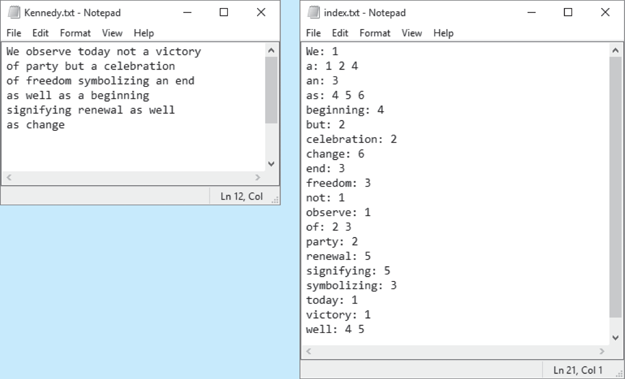
Figure 17-9 Example original file and index file Prime Number Generation
A positive integer greater than 1 is said to be prime if it has no divisors other than 1 and itself. A positive integer greater than 1 is composite if it is not prime. Write a program that asks the user to enter an integer greater than 1, then displays all of the prime numbers that are less than or equal to the number entered. The program should work as follows:
Once the user has entered a number, the program should populate a
vectorwith all of the integers from 2, up through the value entered.The program should then use the STL’s
for_eachfunction to step through thevector. Thefor_eachfunction should pass each element to a function object that displays the element if it is a prime number.
Gas Prices
In the student sample program files for this chapter, you will find a text file named GasPrices.txt. The file contains the weekly average prices for a gallon of gas in the U.S., beginning on April 5, 1993, and ending on August 26, 2013. Figure 17-10 shows an example of the first few lines of the file’s contents.
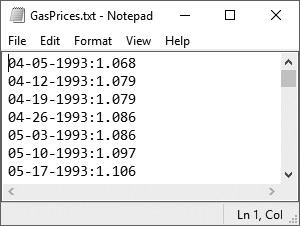
Figure 17-10 The GasPrices.txt file Each line in the file contains the average price for a gallon of gas on a specific date. Each line is formatted in the following way:
MM-DD-YYYY:PriceMMis the two-digit month,DDis the two-digit day, andYYYYis the four-digit year.Priceis the average price per gallon of gas on the specified date.For this assignment, you are to write one or more programs that read the contents of the file and perform the following calculations:
Average Price Per Year: Calculate the average price of gas per year, for each year in the file. (The file’s data starts in April of 1993, and it ends in August 2013. Use the data that is present for the years 1993 and 2013.)
Average Price Per Month: Calculate the average price for each month in the file.
Highest and Lowest Prices Per Year: For each year in the file, determine the date and amount for the lowest price, and the highest price.
List of Prices, Lowest to Highest: Generate a text file that lists the dates and prices, sorted from the lowest price to the highest.
List of Prices, Highest to lowest: Generate a text file that lists the dates and prices, sorted from the highest price to the lowest.
You can write one program to perform all of these calculations, or you can write different programs, one for each calculation. Regardless of the approach that you take, you should read the contents of the GasPrices.txt file, and extract its data into one or more STL containers appropriate for your algorithm.
Hint: See Chapter 10 for a discussion of string tokenizing.